
Modern productivity often fails for one simple reason: we are trying to focus inside an environment that is designed to interrupt us. Even with to-do lists, AI tools, and fancy productivity apps, many people still lose the day to random notifications, endless scrolling, and digital noise. The problem isn’t your time management—it’s your attention architecture.
This guide introduces a powerful concept for the digital productivity era: the Digital Distraction Firewall. Unlike traditional productivity methods that focus on scheduling or motivation, this approach focuses on building defensive layers around your attention. The goal is simple: protect your deep work, eliminate unnecessary digital noise, and create a workspace that supports clarity instead of chaos.
This is an evergreen, actionable framework—perfect for anyone who works online, manages multiple devices, or depends heavily on digital tools. You can apply everything here whether you’re using a Windows laptop, macOS, Android, or iPhone.
What Is a Digital Distraction Firewall?
Your Digital Distraction Firewall is a multilayered system that filters, limits, and controls incoming distractions so you can maintain focus. Think of it as creating priority lanes for your attention. Instead of letting every app, every ping, and every algorithm reach you instantly, you build rules that decide:
- What gets through (urgent, important, personal)
- What gets delayed (non-urgent communication)
- What gets blocked (infinite scroll, dopamine-loop apps)
A properly designed distraction firewall does three things:
- Protects your deep work windows.
- Reduces cognitive switching costs.
- Creates a cleaner, calmer digital environment.
This approach complements other productivity skills—such as AI-assisted time blocking and the second brain method—but it solves a different problem: protecting your attention from the constant noise of the modern internet.
Why You Need a Distraction Firewall (Even If You’re Already “Productive”)
Studies show that the average person receives between 40 to 90 notifications per day. Even more concerning, it takes about 23 minutes to fully regain focus after a single interruption. That means if your phone buzzes just a few times an hour, your focus may never fully recover.
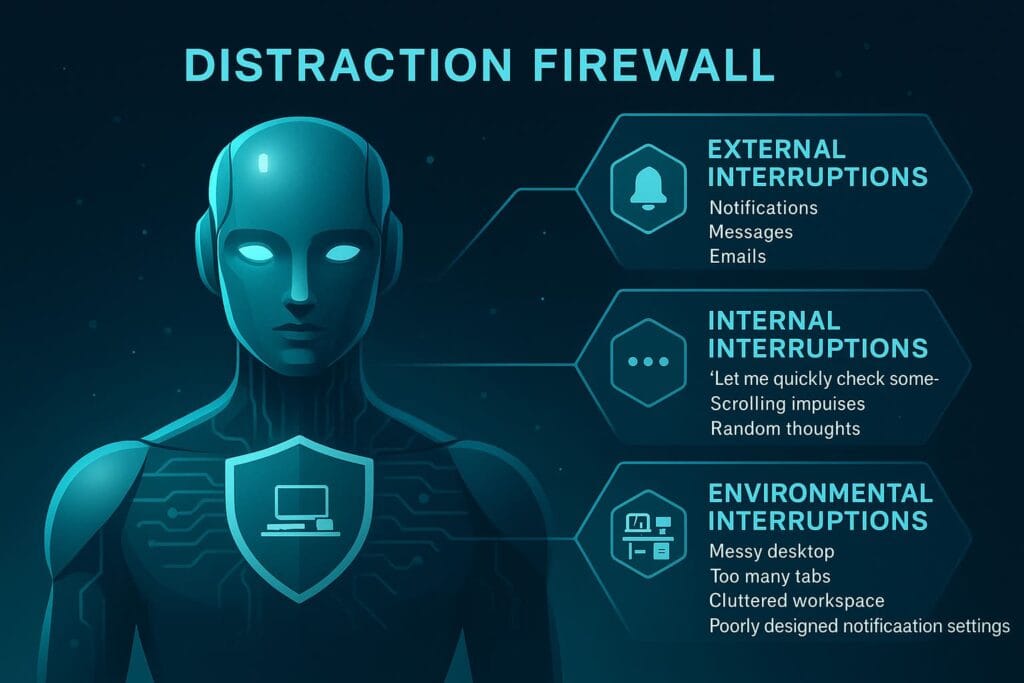
Distractions fall into three categories:
1. External Interruptions
- Notifications
- Messages
- Emails
- App alerts
2. Internal Interruptions
- “Let me quickly check something…”
- Scrolling impulses
- Random thoughts
- FOMO-driven app checking
3. Environmental Interruptions
- Messy desktop
- Too many tabs
- Cluttered workspace
- Poorly designed notification settings
The Digital Distraction Firewall tackles all three categories at once by using structure instead of willpower.
The 3-Layer Architecture of a Digital Distraction Firewall
Your firewall is built on three simple but powerful layers:
🔒 Layer 1: The Attention Barrier (System-Level Rules)
This is the outer wall—operating system features that filter distractions at the device level. It includes:
- Focus modes (iOS, macOS)
- Do Not Disturb schedules
- Android Digital Wellbeing profiles
- Windows Focus Assist
This layer ensures only essential interruptions reach you.
🧠 Layer 2: The Cognitive Filter (App-Level Rules)
Here you set rules inside individual apps to create smarter workflows:
- Email batching
- Priority inbox filtering
- Auto-snoozing notifications
- Muted group chats
This layer cuts down internal noise and mental clutter.
🚫 Layer 3: The Temptation Shield (Blocking & Limiting)
This layer eliminates impulse-driven distractions:
- App blockers
- Website blacklists
- Distraction-free browser extensions
- Minimalist home screens
This shields your attention from apps designed to be addictive.
How to Start Building Your Digital Distraction Firewall
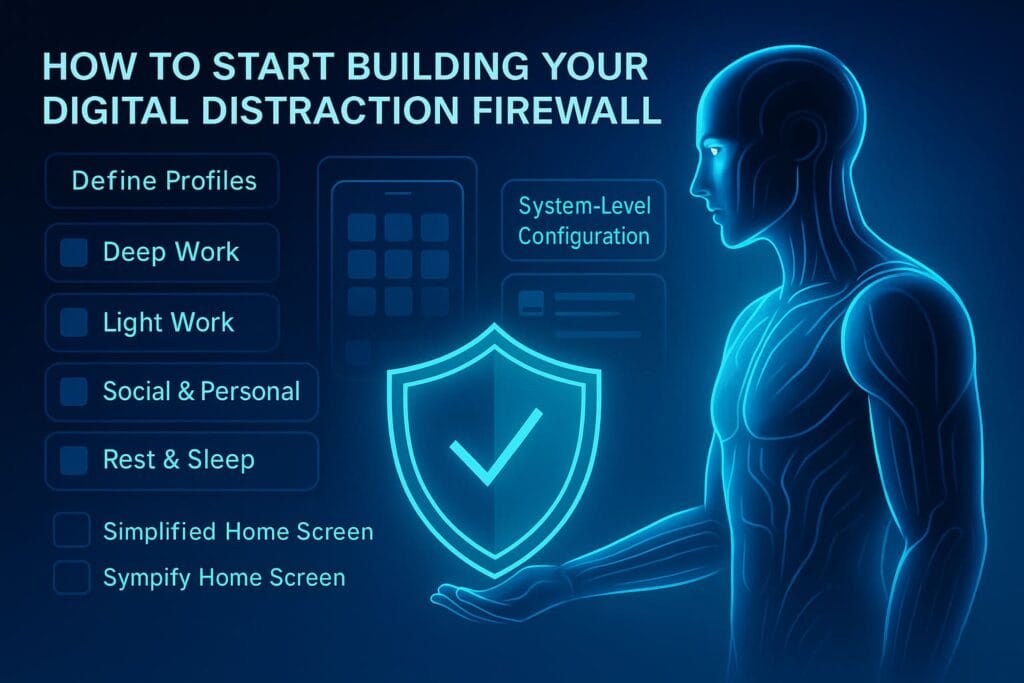
You don’t need complex tools to begin—your first goal is to build a clean foundation. Let’s walk through a step-by-step setup.
Step 1: Define Your Focus Profiles
Before adjusting any settings, create 4 focus profiles:
- Deep Work – zero interruptions except priority contacts.
- Light Work – only work-related notifications.
- Social & Personal – all notifications allowed, but limited app access.
- Rest & Sleep – emergency contacts only, no blue light apps.
You will configure your OS and apps around these four modes. This keeps your digital environment consistent with your intention.
Step 2: Simplify Your Home Screen
Your home screen should not be a slot machine. The more icons you see, the more triggers your brain absorbs. For both phone and desktop:
- Remove social media apps from the home screen
- Hide app library pages if possible
- Keep only 5–8 essential apps visible
- Use folders for categorizing similar apps
A clean interface reduces the urge to “just check” something.
Step 3: Configure System-Level Notification Rules
Here’s where your firewall begins to take shape. Configure your operating system to obey your 4 focus profiles.
On iPhone / iPad / Mac (Focus Mode)
- Create a new Focus for Deep Work
- Allow only:
- Emergency contacts
- Selected work apps
- Silence everything else
- Turn on Focus Filters (Mail, Messages, Calendar)
- Schedule Deep Work mode automatically
On Android (Digital Wellbeing)
- Enable Focus Mode for daily deep work sessions
- Block apps like:
- TikTok
- Allow only essential apps during focus time
On Windows (Focus Assist)
- Set Priority Only during work hours
- Mute all notifications except:
- Email (if needed)
- Teams or Slack
- Calendar alerts
This system-wide configuration forms the first protective wall of your Digital Distraction Firewall.
Step 4: Reduce Internal Interruptions (The Cognitive Filter)
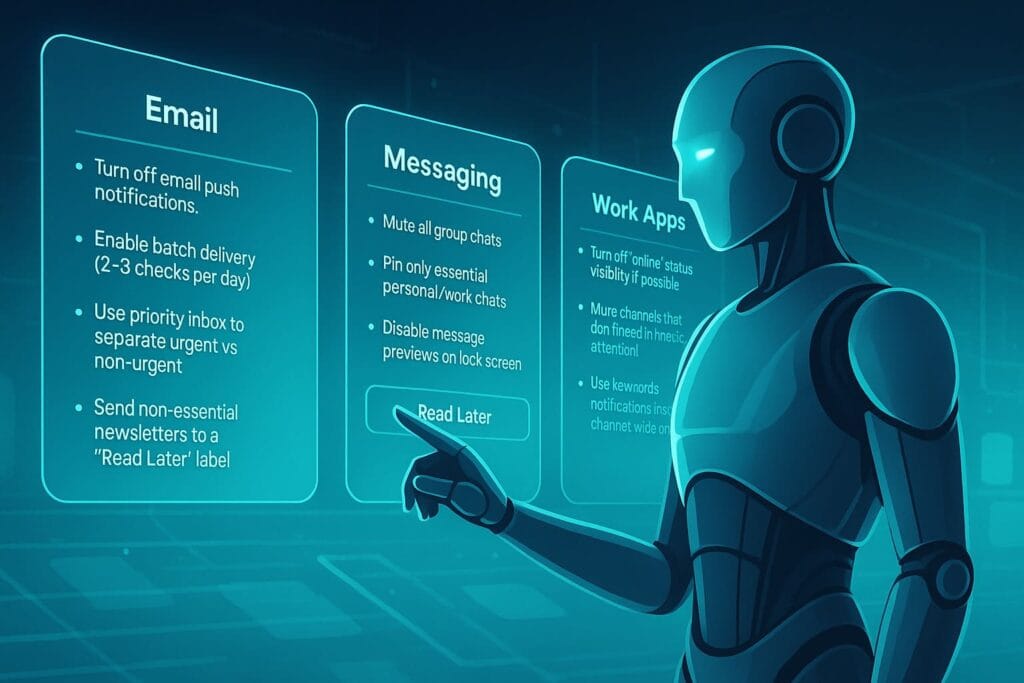
Your mind generates as many interruptions as your apps do. The key is to set up app-level rules that reduce mental clutter.
- Turn off email push notifications
- Enable batch delivery (2–3 checks per day)
- Use priority inbox to separate urgent vs non-urgent
- Send non-essential newsletters to a “Read Later” label
Messaging Apps (WhatsApp, Telegram, iMessage)
- Mute all group chats
- Pin only essential personal/work chats
- Disable message previews on lock screen
Work Apps (Slack, Microsoft Teams, Discord)
- Turn off “online” status visibility if possible
- Mute channels that don’t need immediate attention
- Use keywords notifications instead of channel-wide pings
Once you’ve handled app-level rules, you’re ready for the strongest layer: blocking impulse-driven temptations.
Building the Temptation Shield: Blocking Endless Scroll & Digital Noise
The final layer of your Digital Distraction Firewall is the Temptation Shield—a set of barriers that prevents you from slipping into low-value apps or infinite-scroll platforms without conscious intention. Even if your notifications are controlled, many people still lose hours to “just checking” social media, short-form videos, or email. This layer fixes that.
The goal is simple: make distraction inconvenient, and focus effortless.
Step 5: Use App Blockers for High-Distraction Apps
High-distraction platforms like TikTok, Instagram Reels, YouTube Shorts, Twitter (X), and Reddit are specifically engineered to trigger dopamine loops. Instead of relying on willpower, you set digital boundaries.
Recommended Tools (Verified):
- Freedom – blocks apps/website across devices
https://freedom.to - Cold Turkey – powerful desktop blocker with schedules
https://getcoldturkey.com - StayFocusd (Chrome) – limits time on distracting sites
Chrome Web Store - Android Digital Wellbeing – built-in app timer
Google Support - iOS App Limits – native time limits for apps
Apple Support
Set strict limits for apps that steal your attention. For example:
- Instagram → 15 minutes per day
- YouTube → 20 minutes per day
- Reddit → 10 minutes per day
- TikTok → Blocked during weekdays
These tiny constraints reduce hours of digital drift over the course of a week.
Step 6: Redesign Your Home Screen to Reduce Impulse Taps
Impulse taps happen when your fingers move faster than your brain. This is why you often open Instagram or YouTube without realizing it. By redesigning your home screen, you remove triggers and reduce micro-distractions.
Effective Home Screen Layout Strategies:
- Move all entertainment apps to page 3 or 4
- Place work apps on page 1 during work hours
- Use widgets for calendars and reminders to anchor your intention
- Hide the app search bar if you tend to search impulsively
- Use minimalist wallpapers (no bright icons or faces)
The rule is simple: Work apps should be close. Distractions should be far.
Advanced Focus Architecture: Deep Work & Light Work Modes
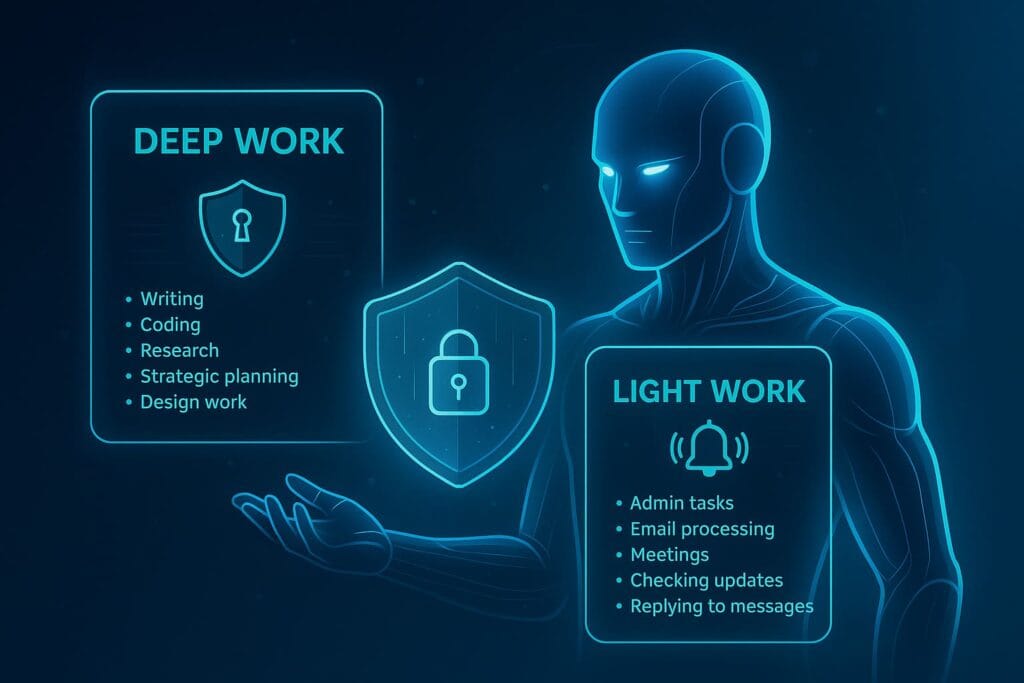
Now that the foundation is solid, it’s time to design the core of your Digital Distraction Firewall: your Focus Architecture. This is where you decide what gets through the firewall based on your goals and the type of work you’re doing.
You will create two primary modes:
1. Deep Work Mode (High Resistance)
This mode blocks almost everything. It should be used when working on:
- Writing
- Coding
- Research
- Strategic planning
- Design work
During Deep Work:
- Only emergency contacts can notify you
- All messaging apps are blocked
- Emails are silenced
- News and social apps are inaccessible
This mode is your productivity fortress.
2. Light Work Mode (Moderate Resistance)
This mode allows lighter, less cognitively intense tasks:
- Admin tasks
- Email processing
- Meetings
- Checking updates
- Replying to messages
Notifications are partially enabled in this mode, but only for apps that matter. Everything else stays filtered.
AI-Assisted Filters: Let Artificial Intelligence Reduce Your Digital Noise
AI can be an excellent helper for filtering information and reducing cognitive overload. Instead of manually sorting your inbox or reading every message, you can automate some of the noise.
AI Tools That Filter Information:
- Gmail AI Categorization – automatically sorts emails into Primary, Social, Promotions, and Updates
Gmail inbox categories & tabs - Microsoft Outlook Focused Inbox – separates important emails from noise
Microsoft Support - Notion AI – summarizes long content and reduces reading time
https://www.notion.com/product/ai - Slack Notifications & AI Summaries – helps prioritize discussions
https://slack.com/features - YouTube “Time Watched” insights – helps detect unhealthy usage patterns
YouTube Time Watched Profile (Android Help)
AI is most powerful when used as a filter, not a replacement for your attention. You still choose what matters; AI simply reduces the clutter.
Creating “No-Scroll Zones” to Break Addictive Patterns
No-scroll zones are intentional time periods or locations where scrolling is not allowed. This is one of the most effective ways to decondition addictive digital habits.
Examples of No-Scroll Zones:
- Morning (first 90 minutes) – focus on clarity and planning
- During meals – prevent mindless browsing
- Just before bed – protect sleep quality
- While working in Deep Work mode
- During commuting (unless using audio learning)
You don’t need to block apps permanently—just create intentional gaps where scrolling is not allowed to hijack your attention.
The “Weekly Reset” System for Cleaning Digital Clutter
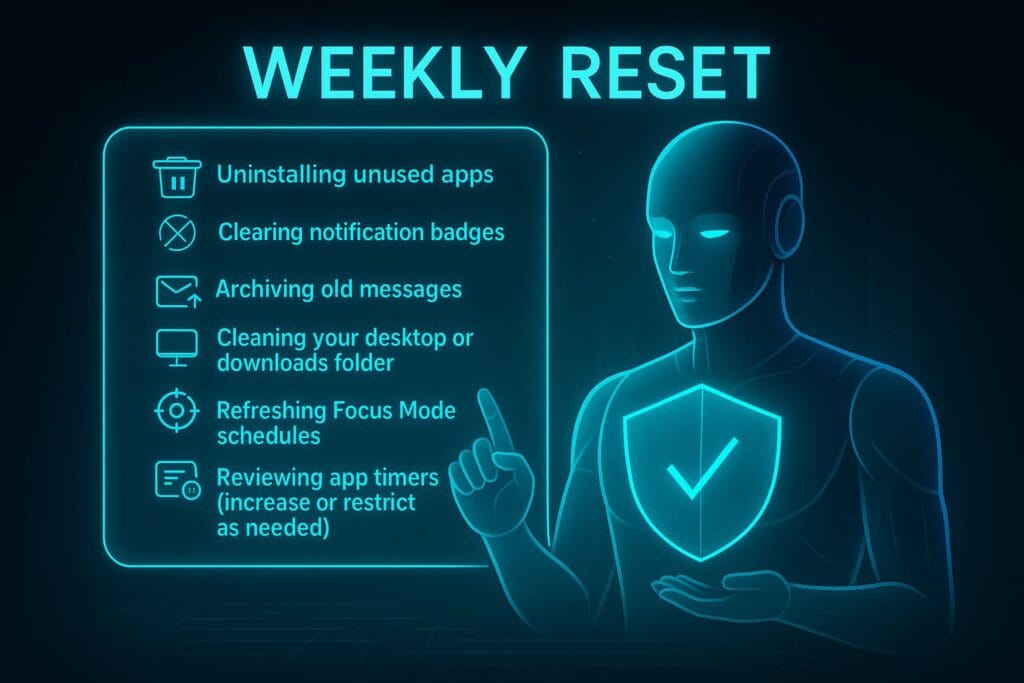
Every Digital Distraction Firewall needs maintenance. Once a week, schedule a 20-minute “Digital Reset.” This keeps your device clean, decluttered, and optimized for the week ahead.
Your Weekly Digital Reset Includes:
- Uninstalling unused apps
- Clearing notification badges
- Archiving old messages
- Cleaning your desktop or downloads folder
- Refreshing Focus Mode schedules
- Reviewing app timers (increase or restrict as needed)
This weekly maintenance keeps your digital environment light, fast, and distraction-free.
Using a Second Brain to Reduce Cognitive Switching
One of the biggest causes of distraction isn’t apps—it’s your brain trying to remember things. When you have too many open loops (tasks, ideas, reminders), your mind gets overloaded and seeks relief through distractions.
To solve this, you need a reliable capture system. A “second brain” redirects mental tasks into a structured digital system.
Learn more about how to build one here:
AI-Powered Second Brain.
Your second brain reduces unnecessary cognitive switching, making it easier to stay in deep work mode for longer periods.
How Your Firewall Helps Manage Anxiety & Digital Stress
Constant interruptions activate the brain’s stress response system. Even “harmless” notifications spike cortisol and fragment your attention. But once your firewall is in place, things change:
- You stop checking apps compulsively
- Your phone feels calmer
- You regain control over your workflow
- You no longer feel “always on”
- You reduce decision fatigue
By filtering digital noise, you create a mental environment that promotes calm, confidence, and clarity.
A Practical Template to Install Your Digital Distraction Firewall
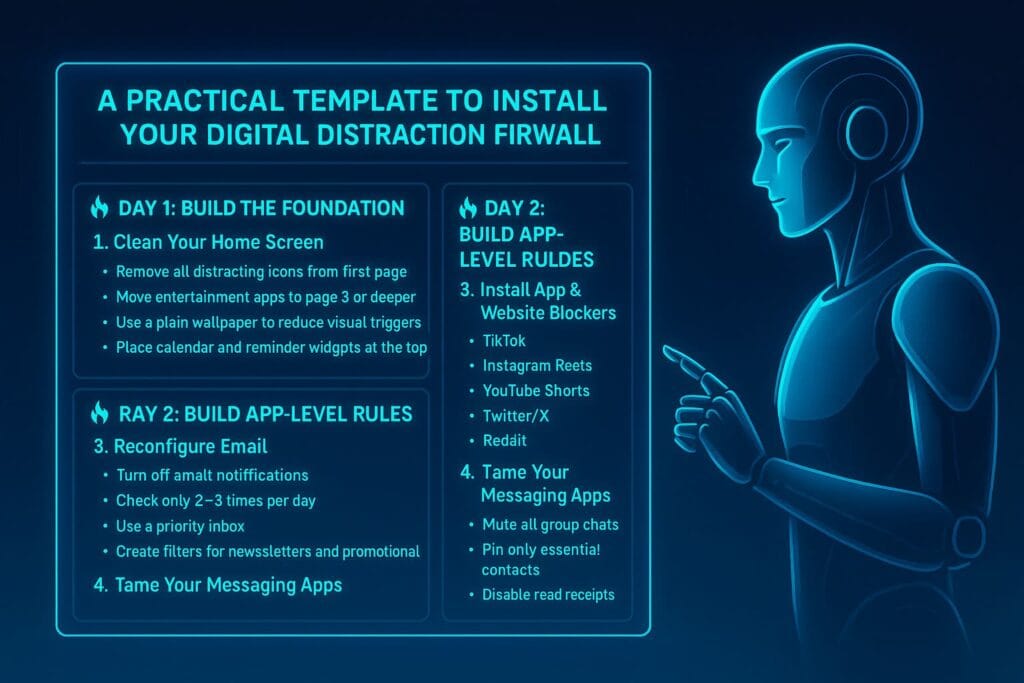
You’ve now learned each component of the Digital Distraction Firewall. The next step is applying it in your daily workflow. Below is a practical, easy-to-follow template that you can set up in under one weekend. This template works across all devices—Windows, macOS, iPhone, Android, ChromeOS, and even web-based tools.
If you want to reclaim your time and attention, follow this blueprint step by step:
🔥 Day 1: Build the Foundation
1. Clean Your Home Screen
- Remove all distracting icons from the first page
- Move entertainment apps to page 3 or deeper
- Use a plain wallpaper to reduce visual triggers
- Place calendar and reminder widgets at the top
This step alone can reduce impulse usage by 30–40% based on behavioral studies.
2. Set Up System-Wide Focus Modes
- Deep Work Mode – silence all but emergency contacts
- Light Work Mode – allow work apps only
- Social Mode – allow social apps but block short-form video
- Rest Mode – disable all notifications except alarms
You can automate these modes based on time or location. For example, Deep Work may activate automatically during your morning work schedule.
🔥 Day 2: Build App-Level Rules
3. Reconfigure Email
- Turn off email notifications
- Check only 2–3 times per day
- Use a priority inbox:
Gmail Priority Inbox - Create filters for newsletters and promotional emails
You’ll automatically eliminate dozens of interruptions per day.
4. Tame Your Messaging Apps
- Mute all group chats
- Pin only essential contacts
- Disable read receipts if they increase pressure or anxiety
- Disable vibration notifications
Messaging overload often causes invisible stress. Proper rules reduce cognitive clutter instantly.
🔥 Day 3: Block Temptations
5. Install App & Website Blockers
Choose your tools:
- Freedom – best multi-device blocker
- Cold Turkey – strongest desktop blocker
- StayFocusd – best for Chrome
Recommended block list:
- TikTok
- Instagram Reels
- YouTube Shorts
- Twitter/X
- Online shopping sites during work hours
With blockers active, distractions become inaccessible during focus periods.
The Habit Layer: How to Maintain Your Firewall Over Time
A Digital Distraction Firewall is only useful if it becomes part of how you work daily. Each layer reinforces your attention habits so that clarity becomes your default state.
1. The Morning Focus Ritual
- Start your day in Deep Work Mode
- Don’t open email or social media before your first high-value task
- Plan 3 key outcomes for the day
This ensures your attention starts strong instead of fragmented.
2. The Afternoon Check-In
- Review notifications only during scheduled times
- Reply to messages in batches
- Process email in one focused session
Batching reduces context switching dramatically.
3. The Evening Shutdown
- Activate Rest Mode at a consistent time
- Limit blue-light apps 1–2 hours before sleep
- Spend the last 10 minutes organizing tomorrow’s tasks
This routine improves sleep and reduces digital anxiety.
How to Reinforce Deep Work as a Lifestyle
Deep Work isn’t just a productivity tactic—it’s a mindset. To make focus a natural habit, you need three reinforcement strategies:
1. Reduce the Reward of Distraction
- Turn off autoplay on YouTube
Google Support - Disable “For You” recommendations wherever possible
- Remove social media from your home screen
Make distractions less rewarding, and your brain will crave them less.
2. Increase the Reward of Focus
- Create a pleasant workspace
- Celebrate deep work sessions with micro-rewards
- Track your focus time (Forest, RescueTime, or Toggl)
Positive reinforcement makes focus naturally enjoyable.
3. Use AI Tools to Assist (Not Replace) Your Workflow
You can also use AI strategically to reduce mental clutter:
- Notion AI to summarize long content
- Todoist with smart scheduling to plan tasks
- Slack AI summaries to reduce channel noise
The firewall doesn’t remove technology—it puts it in its proper place.
The Full Digital Distraction Firewall Blueprint
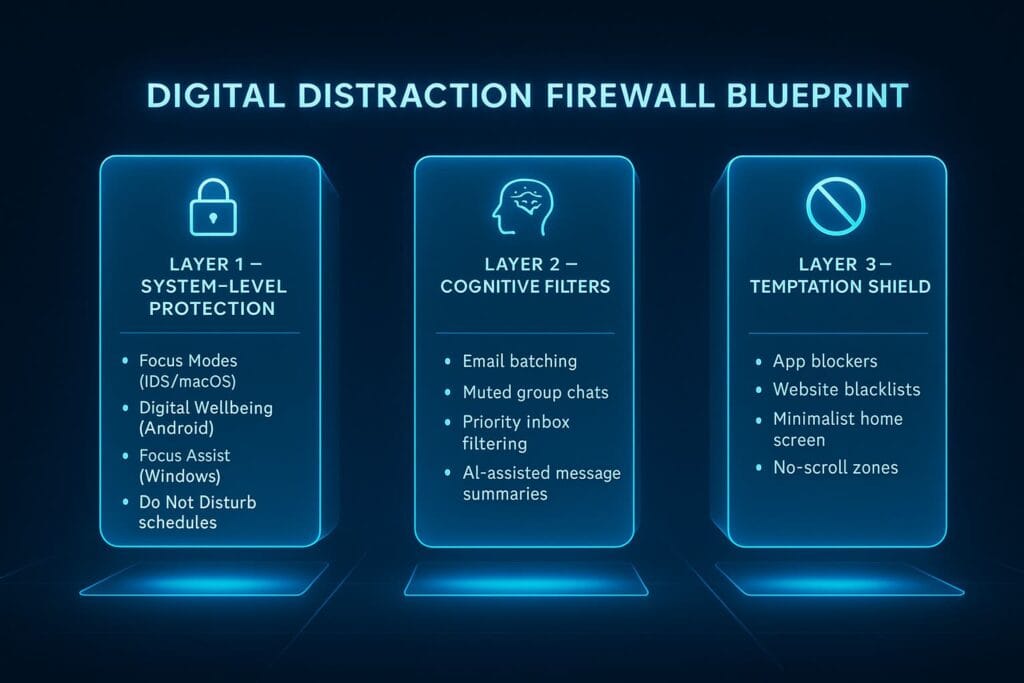
Here’s a final summary of your firewall in one unified structure:
🔒 Layer 1 — System-Level Protection
- Focus Modes (iOS/macOS)
- Digital Wellbeing (Android)
- Focus Assist (Windows)
- Do Not Disturb schedules
🧠 Layer 2 — Cognitive Filters
- Email batching
- Muted group chats
- Priority inbox filtering
- AI-assisted message summaries
🚫 Layer 3 — Temptation Shield
- App blockers
- Website blacklists
- Minimalist home screen
- No-scroll zones
Together, these three layers form a powerful protective system for your time, attention, and mental clarity.
Long-Term Optimization: Making the Firewall Evolve With You
Productivity is not static—your life changes, your job changes, and your digital tools evolve. Your firewall must adapt over time. Here’s how to keep it optimized:
1. Review Your Focus Modes Monthly
- Add apps that now matter
- Remove apps that no longer matter
- Adjust schedules
2. Update Your Block Lists
- New distracting apps should be added immediately
- Reduce limits for apps that steal excessive time
3. Refresh Your Digital Workspace Every Season
- Declutter your desktop
- Archive completed notes
- Reorganize your second brain system
Your digital environment should evolve as your goals evolve.
Why the Digital Distraction Firewall Works
This system works because it aligns with how human attention actually functions. Instead of relying on motivation or discipline, it uses architecture and automation to protect your focus.
When your environment supports your goals, productivity becomes effortless.
You stop fighting your devices—and your devices start working for you.
Frequently Asked Questions (FAQ)
A Digital Distraction Firewall is a structured, multilayer system designed to protect your attention from unnecessary notifications, distractions, and digital noise. It uses focus modes, app-level rules, blockers, and intentional habits to help you maintain deep work and clarity throughout the day.
It improves productivity by reducing context switching, minimizing interruptions, and creating a digital environment aligned with your goals. With fewer distractions, you can sustain deep focus for longer periods and get more meaningful work done in less time.
No. You can build a complete distraction firewall using built-in features such as Focus Mode (iOS/macOS), Digital Wellbeing (Android), and Focus Assist (Windows). Optional tools like Freedom, Cold Turkey, or StayFocusd can help strengthen the firewall, but they’re not required.
Deep Work Mode blocks almost all notifications and distractions so you can focus on cognitively demanding tasks like writing, coding, or strategy. Light Work Mode allows moderate notifications for email, messaging, and administrative tasks that require less intense focus.
Most people benefit from checking email only two to three times per day—typically late morning, mid-afternoon, and before finishing work. This prevents email from interrupting deep work sessions and keeps communication more intentional.
Yes, in most cases. Group chats generate frequent micro-distractions that fragment your focus. Muting them ensures they don’t interrupt your workflow. You can still review messages during scheduled check-ins or Light Work periods.
No-Scroll Zones are intentional periods of the day where you avoid social media and infinite-scroll apps. Common examples include mornings, during deep work, meals, and before sleep. These zones help break addictive patterns and reduce dopamine-driven distractions.
Yes. AI tools like Notion AI, Gmail categorization, and Slack summaries can reduce noise by filtering content, summarizing messages, and surfacing only what matters. AI shouldn’t replace your focus, but it can automate repetitive tasks and reduce your cognitive load.
Consistency comes from habits, not willpower. Automate your Focus Modes, schedule weekly digital resets, batch communication tasks, and review your firewall monthly. Over time, the system becomes effortless because your environment naturally supports your goals.
If your job requires responsiveness, use Light Work Mode to allow relevant notifications while still blocking personal distractions. You can also use keyword-based notifications in tools like Slack or Teams to ensure you only receive alerts for conversations that matter most.
No. The goal is intentional usage, not elimination. Block social apps during Deep Work or work hours, then allow them during designated Social Mode. This creates healthy boundaries without feeling restrictive or unrealistic.
Most people feel noticeable improvements within three to five days. You’ll likely experience clearer thinking, reduced anxiety, and better control over your attention. Within two weeks, the system starts to feel natural and becomes part of your daily rhythm.
Conclusion: Reclaiming Your Attention Is the Ultimate Productivity Skill
In a world overflowing with information, apps, and notifications, your attention is your most valuable resource. Designing a Digital Distraction Firewall is not about rejecting technology—it’s about using it intentionally.
Once your firewall is in place, you’ll experience:
- More clarity
- Less stress
- Stronger focus
- Higher-quality work
- Better digital wellbeing
- More intentional use of your devices
This is the future of digital productivity: a calm, controlled, distraction-free environment that empowers your best work.
If you’d like to keep exploring productivity techniques, check out these ByteToLife guides:
- Smarter Workdays with AI Time Blocking
- Build an AI-Powered Second Brain
- AI Tools Transforming Office Tasks
Your Digital Distraction Firewall is now complete. The rest is simply living with clarity and intention.