
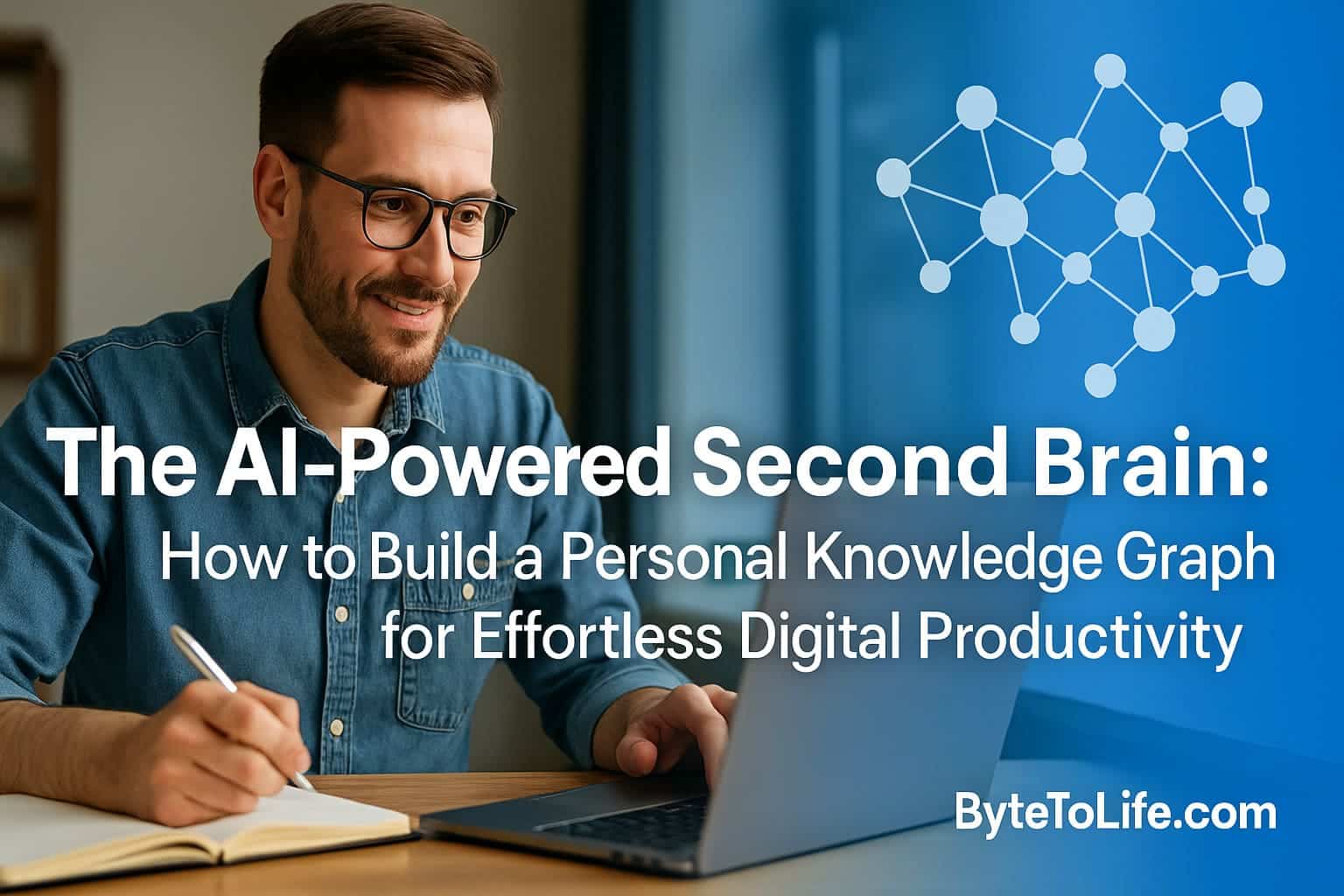
Digital life is expanding faster than ever. Emails pile up. Ideas scatter across apps. Tasks hide behind notifications. And every day, your brain is forced to track more information than it was ever designed to hold.
That’s why a new productivity movement is exploding: the AI-powered Second Brain — a personal system that stores your ideas, connects your knowledge, automates your workflows, and helps you think more clearly. Unlike traditional note-taking, a Second Brain acts as a living knowledge system that grows over time.
In this evergreen pillar guide, you’ll learn how to build your own Second Brain using AI and a personal knowledge graph. This is not another “use this app” tutorial — this is a long-term productivity system built to adapt even as tools evolve.
Let’s unlock a smarter way to work, learn, and create.
Why Your Digital Life Needs a Second Brain
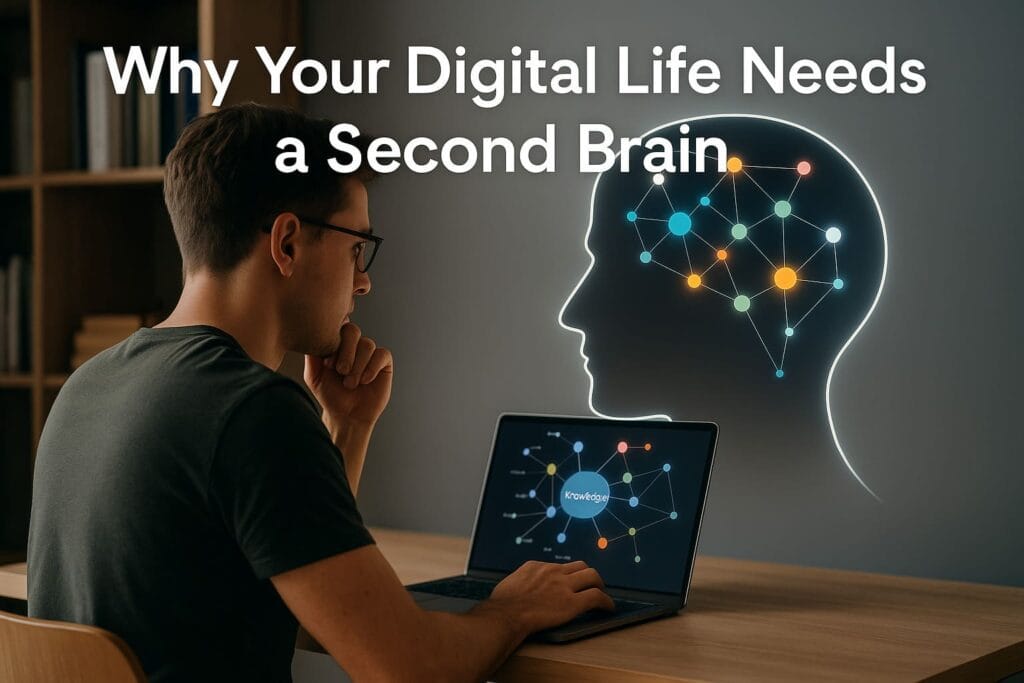
Modern work has a hidden cost: information overload. You jump between tabs, files, chats, screenshots, and endless notes. The more digital your life becomes, the harder it is to remember anything important.
Instead of helping, most productivity apps act as separate islands — scattered tools that don’t talk to each other. This causes:
- Fragmented information — your ideas live in multiple apps.
- No single source of truth — you forget where you stored a thought.
- Duplicate tasks — manual copy-paste between apps wastes time.
- Reduced creativity — your best ideas die in forgotten notes.
Your brain becomes the bottleneck — not your skills.
The Second Brain solves this
A Second Brain helps you store, organize, and retrieve information outside your biological memory, so your mind can focus on creativity and decision-making.
But in today’s AI era, the Second Brain has evolved into something even more powerful:
The new generation: The AI-Powered Second Brain
With AI, your Second Brain can now:
- Automatically summarize content
- Create instant links between related notes
- Search semantically (“show me all ideas about cybersecurity automation”)
- Generate insights from your own knowledge graph
- Act like a personal research assistant
Your information doesn’t just sit still — it thinks with you.
What a Second Brain Really Means (Beyond Note-Taking)
Most people misunderstand “Second Brain” as simply a fancy notebook. But the real purpose is far deeper:
A Second Brain is a system for managing ideas, knowledge, and decisions — not just storing notes.
Key Differences
| Traditional Notes | AI-Powered Second Brain |
|---|---|
| Static information | Living knowledge graph |
| Search by exact keywords | Semantic search with context |
| Folders, tags, structure | Automatic linking & relationships |
| Manual work | Assisted by AI automation |
This gives you freedom from cognitive overload — and time to think.
From Notes to a Personal Knowledge Graph
The core of an AI-powered Second Brain is the Knowledge Graph. This is the same technology used by search engines, research labs, and modern AI systems.
A knowledge graph is a network of connected ideas. Instead of storing information in folders, your ideas connect to each other like neurons.
Example:
“Mobile security” connects to:
- Threat detection
- AI-powered cyberattacks
- State-sponsored hacking
- API vulnerabilities
- Quishing & phishing patterns
Later, when you search “prevent smartphone cyber threats,” your knowledge graph instantly retrieves all related ideas — even if you never tagged them manually.
Why a knowledge graph is better than folders
- No more guessing where to store notes
- No rigid structure like folders
- Ideas naturally link across projects
- Better long-term creativity
This is how your Second Brain becomes smarter the more you use it.
How AI Supercharges Your Second Brain
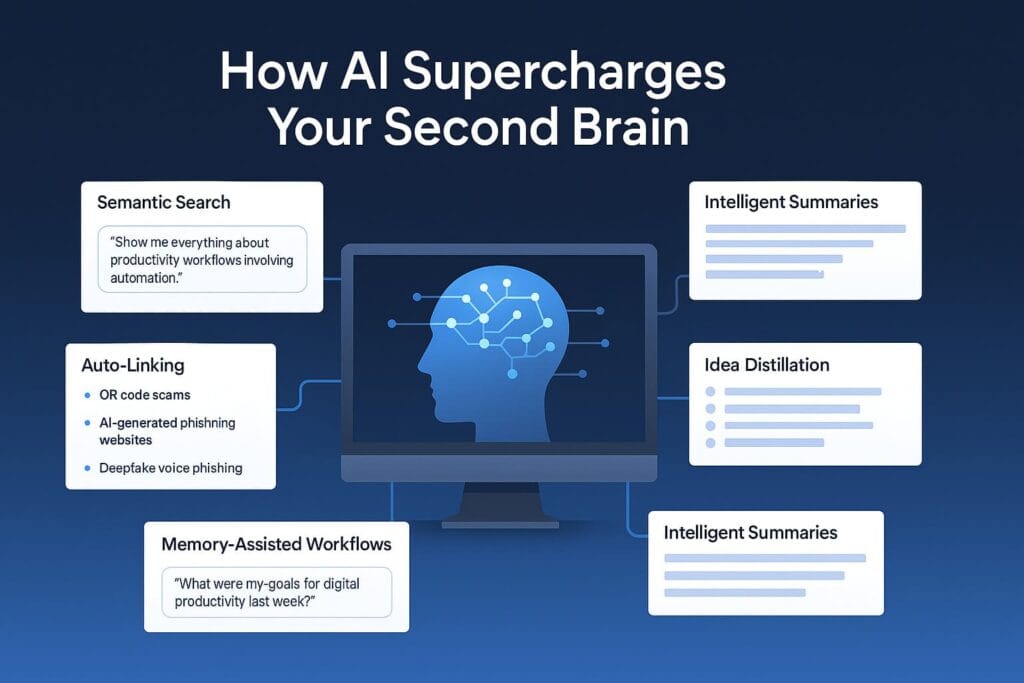
AI transforms knowledge graphs from static webs into intelligent systems. Here’s what AI adds:
1. Semantic Search
Instead of exact keywords, you can ask natural questions.
“Show me everything about productivity workflows involving automation.”
Your Second Brain scans meaning, not text.
2. Auto-Linking
AI finds relationships between ideas and connects them automatically.
Example: If you write about mobile phishing, AI links it to your notes on:
3. Intelligent Summaries
Paste an article, video, or document → AI creates concise summaries + action steps.
4. Idea Distillation
AI reduces chaotic notes into clean insights you can actually use.
5. Memory-Assisted Workflows
Ask your AI: “What were my goals for digital productivity last week?”
It remembers your notes — not just keywords — but context.
The 4-Stage Framework to Build Your AI Second Brain
To avoid overwhelm, your Second Brain should follow a simple, evergreen structure:
1. Capture
Collect ideas quickly before they disappear. Use:
- Quick notes
- Voice memos
- Web clippings
- AI summaries of articles
2. Organize
Skip complicated folder systems. Use:
- AI auto-tagging
- Knowledge graph linking
- Simple categories (Work, Learning, Ideas, Projects)
3. Distill
Turn raw information into useful insights:
- AI highlights
- Key takeaways
- Action steps
4. Express
Use your knowledge to:
- Write content
- Make decisions
- Build projects
- Automate tasks
Why This System Future-Proofs Your Productivity
Apps come and go — but your knowledge graph and workflow stay with you. You’re building a productivity system that survives technology shifts.
That’s the real power of an evergreen Second Brain.
How to Build Your AI-Powered Second Brain (Step-by-Step)
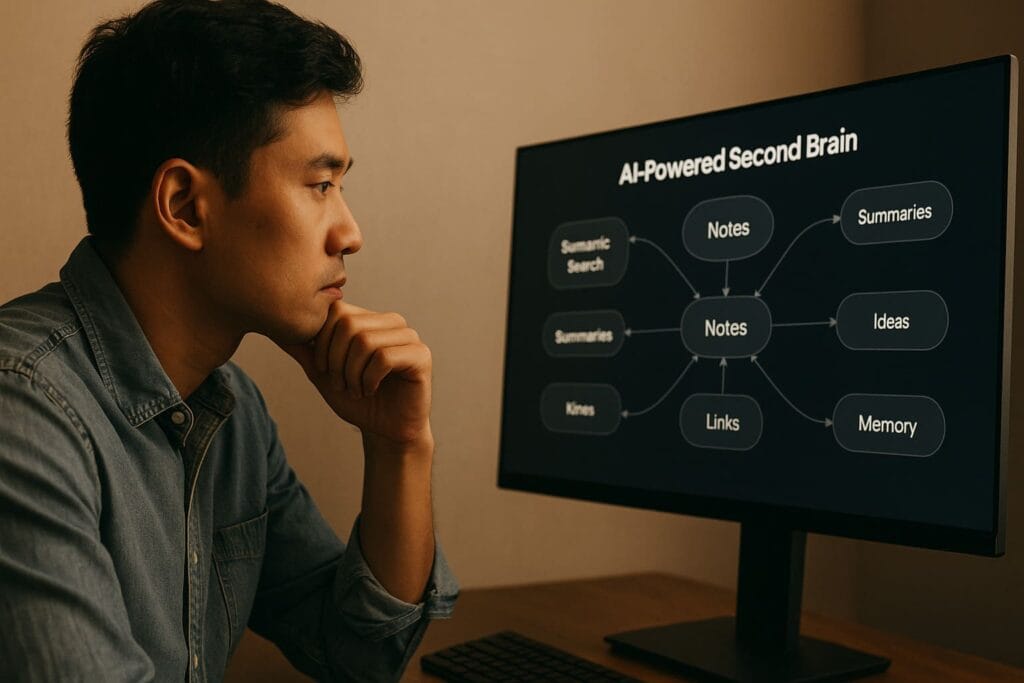
Now that you understand the foundations of an AI-powered Second Brain, it’s time to build your own. This part of the guide focuses on practical, hands-on steps to create a personal knowledge graph and set up daily workflows that maintain it effortlessly.
Don’t worry — you don’t need to be “organized by nature.” Your Second Brain is designed to work even if your mind is messy. The entire point is to create a system that helps you think less about organizing and more about doing.
Choosing the Core Tool Stack (Evergreen Setup)
Your Second Brain doesn’t rely on one specific app. Tools will evolve, so your system should be tool-agnostic. That means understanding categories, not brands.
Here is the evergreen, future-proof stack:
1. A Note Hub (Your Knowledge Vault)
Your note hub stores ideas, articles, research, and insights. Popular choices include:
- Obsidian (local-first, graph view, plugins)
- Notion (cloud-based, UI-friendly)
- Logseq (graph-first, privacy-focused)
Tip: Pick one and stay with it for at least 30 days before switching.
2. AI Layer (Your Thinking Assistant)
Your AI companion does the heavy lifting:
- Summarizing content
- Generating ideas
- Linking concepts
- Organizing thoughts
- Turning notes into actionable outputs
Your AI assistant can be:
- A built-in AI (Notion AI, Obsidian plugins)
- A standalone AI assistant like ChatGPT
3. Capture Tools (For Fast Input)
You need a fast, frictionless way to capture thoughts before they disappear.
Use any combination of:
- Mobile quick note widget
- Voice-to-text app
- Browser web clipper
- Screenshot capture
4. A Cloud Sync or Backup Layer
Your Second Brain is the most valuable digital asset you’ll ever build. Keep it safe.
- Cloud sync (Google Drive, iCloud, Dropbox)
- Local encrypted backup
With this setup, your system will survive even if apps come and go.
Designing the Structure of Your Knowledge Graph

Your knowledge graph should feel like a living ecosystem, not a rigid filing cabinet. AI handles most of the heavy lifting — your job is simply to plant the seeds.
Start With 4 Core Buckets
- Ideas — random thoughts, insights, inspiration.
- Learning — topics you’re researching or studying.
- Projects — actionable outcomes; things to deliver.
- Workflows — templates, processes, repeatable systems.
These buckets map to the core of productivity: Think → Learn → Build → Repeat.
Link Ideas Automatically
Your AI assistant should help you auto-link notes to build your graph organically. For example, if you write about:
- “API vulnerabilities”
- “Deepfake identity attacks”
- “Digital productivity systems”
Your AI can detect themes such as:
- cybersecurity risk patterns
- AI-powered attacks
- automation & workflows
This creates a web of relationships, making it easier to discover insights later.
Your Daily, Weekly & Monthly Second Brain Workflows
The key to a long-lasting Second Brain is rhythm. Here’s the simple, evergreen routine you can follow.
Daily Workflow: The 10-Minute Maintenance
You don’t need complicated rituals. Just do these:
- Capture any ideas from your day
- Summarize 1 piece of content using AI
- Connect your newest notes using auto-linking
- Review your project dashboard
That’s it — your Second Brain stays healthy with only 10 minutes daily.
Weekly Workflow: The Alignment Ritual
Once a week, spend 30–45 minutes doing:
- Review completed tasks and archive notes
- Refine project notes
- Distill key learnings from the week
- Ask AI: “What were my main focus areas this week?”
This helps your Second Brain evolve with your priorities.
Monthly Workflow: The Reset
- Clean old notes
- Merge related ideas
- Delete junk
- Review your long-term goals
A 1-hour monthly deep clean keeps your knowledge graph from becoming cluttered.
Creating Evergreen Templates Inside Your Second Brain
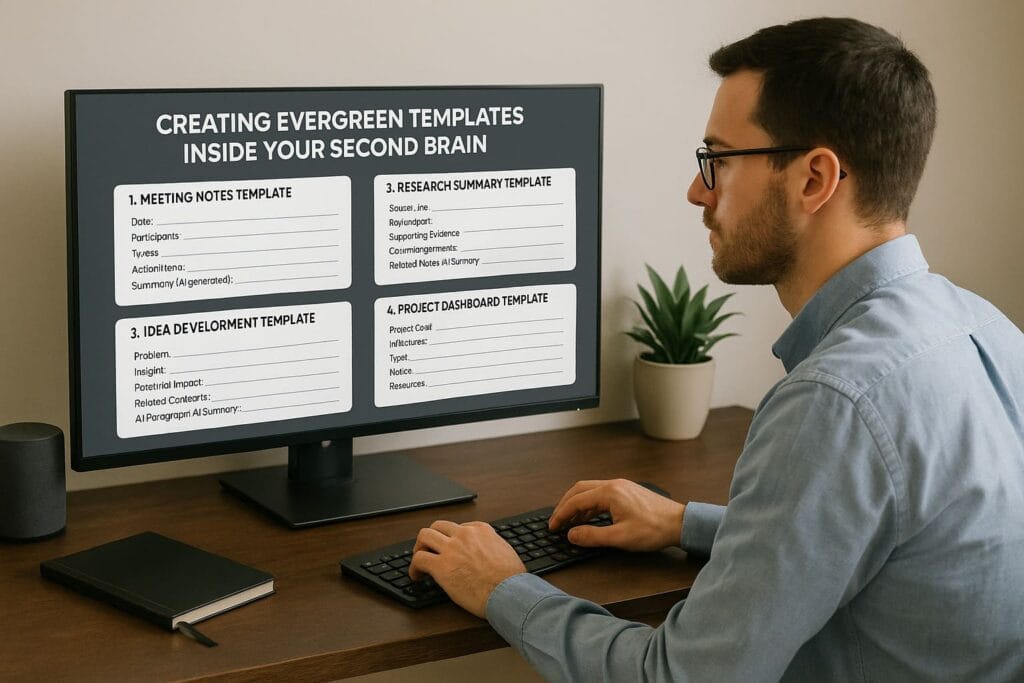
Templates help you move fast and reduce decision-making fatigue. Build templates for anything you do repeatedly.
1. Meeting Notes Template
- Date:
- Participants:
- Topics:
- Action Items:
- Decisions:
- Summary (AI generated):
2. Research Summary Template
- Source Link:
- Key Insights:
- Supporting Evidence:
- Counterarguments:
- Related Notes:
- 1-Paragraph AI Summary:
3. Idea Development Template
- Problem:
- Insight:
- Potential Impact:
- Related Concepts:
- Next Steps:
4. Project Dashboard Template
- Project Goal:
- Milestones:
- Tasks:
- Notes:
- Resources:
- AI Suggestions:
Templates ensure consistency — even when you are busy.
How AI Helps Connect and Expand Your Knowledge Graph
AI is the “secret sauce” that makes a modern Second Brain actually useful. Here’s how it lifts the heavy load.
1. Automated Relationship Mapping
Your AI assistant identifies patterns that you might miss:
- Overlapping domains
- Related keywords
- Common topics
- Recurring themes
This forms the core of your knowledge graph.
2. Semantic Tagging
No need for manual tags. AI can label notes based on meaning, not just words.
3. Smart Note Suggestions
When writing a new note, AI can surface old ideas that relate to the current topic.
4. Memory Retrieval
Ask your AI:
“Show me all notes related to mobile cybersecurity threats.”
It fetches all connected ideas — even if you never manually tagged them.
Second Brain for Work, Learning & Creativity
Your Second Brain becomes even more powerful when you apply it to real-world scenarios. Here are examples of how it boosts productivity across different domains.
1. For Work & Projects
Your knowledge graph helps you:
- Plan projects quickly
- Store references & research
- Break complex tasks into workflows
- Make faster decisions
2. For Learning & Research
AI can turn your scattered learning notes into:
- Summaries
- Flashcards
- Study guides
- Knowledge maps
This makes learning more efficient and enjoyable.
3. For Creativity
Your Second Brain becomes your idea factory:
- Find old ideas to remix into new ones
- Track creative inspirations
- Brainstorm with AI
- Create content faster
Advanced Automations to Supercharge Your Second Brain
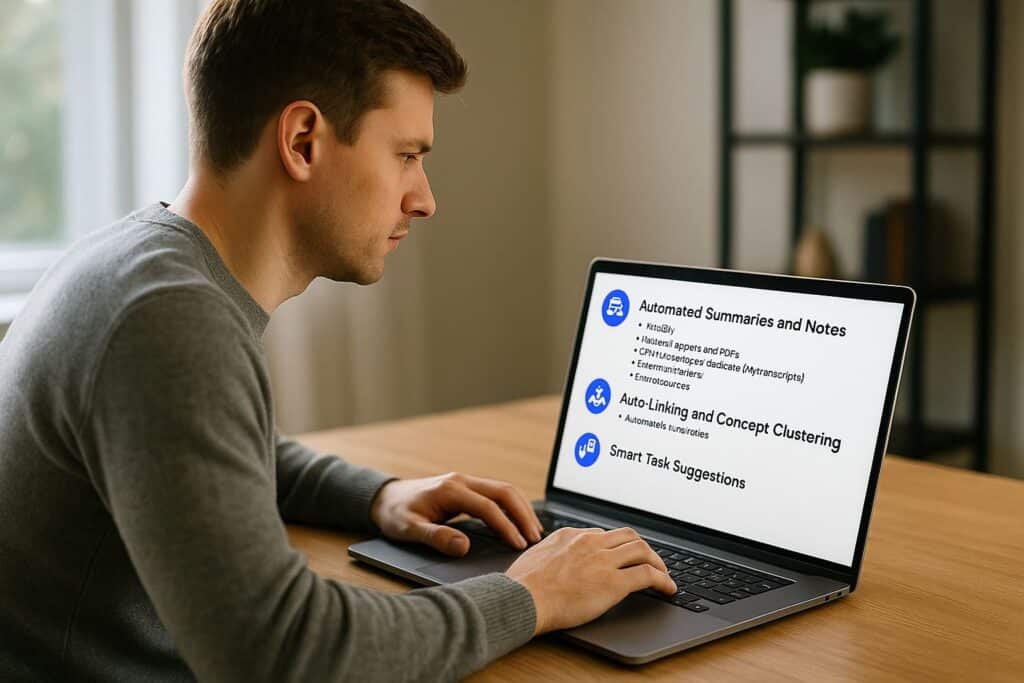
Once your Second Brain is set up, the next stage is unlocking its true power: automation. This transforms your system from a passive storage vault into an intelligent, self-updating ecosystem. With the right automations, your Second Brain becomes a productivity multiplier — not just a place to store information, but a system that actively works for you.
1. Automated Summaries and Notes
One of the biggest advantages of AI is its ability to process long-form content quickly. You can automate summaries for:
- Articles and blog posts
- Research papers and PDFs
- YouTube videos or podcasts (via transcripts)
- Email newsletters
- Online courses
Simply paste the content into your AI assistant, and it generates clean, structured summaries with actionable insights. This saves hours of reading time every week — especially if your work involves research or content creation.
2. Auto-Linking and Concept Clustering
A powerful Second Brain isn’t just a notebook — it’s a connected network of ideas. AI excels at identifying relationships between concepts. Using plugins or built-in AI features, your system can automatically detect patterns such as:
- Overlapping topics like “AI automation” and “workflow optimization”
- Related cybersecurity notes such as “voice phishing” and
AI-generated phishing scams - Emerging themes across your research
This turns your Second Brain into a living knowledge graph that evolves without extra effort.
3. Smart Task Suggestions
Your Second Brain can also help you manage tasks more intelligently. AI can analyze your notes, projects, and goals to suggest next steps. Ask it:
“Based on my current notes and projects, what should I do next?”
It may surface reminders, unfinished ideas, or potential opportunities you forgot existed.
4. AI-Powered Templates
Templates are the backbone of a scalable productivity system. With AI, you can auto-generate reusable templates for:
- Project planning
- Meeting notes
- Study summaries
- Idea development
- Daily and weekly reviews
Instead of rewriting structures manually, your AI becomes your “template generator,” maintaining consistency while saving time.
Future-Proofing Your Second Brain for the Long Run
Most productivity systems fail because they rely too heavily on a single app or trend. Your Second Brain should be evergreen — it must outlive any tool, platform, or device you use today.
1. Use Portable, Open Formats
Your knowledge should never be locked in. To stay future-proof, keep your core notes stored in formats like:
- Markdown (.md)
- Plain text (.txt)
- Open JSON structures
These formats work everywhere and can be moved to a new platform instantly. If Notion shuts down tomorrow or Obsidian is replaced next year, your Second Brain remains intact.
2. Avoid Over-Reliance on One Platform
It’s easy to fall into the trap of becoming dependent on a single tool. But remember — apps evolve, get acquired, or disappear.
A robust Second Brain lives above the tools. The structure — not the app — is what matters:
- Your note vault
- Your templates
- Your knowledge graph
- Your workflows
You can migrate platforms in hours, not months, if your foundations are flexible.
3. Maintain Local Ownership
Your Second Brain contains your most valuable digital asset: your knowledge. Don’t rely solely on cloud storage.
Use:
- A secure offline backup (encrypted drive)
- A local folder vault
- A redundancy strategy (local + cloud sync)
If you ever lose access to a cloud service, your Second Brain remains safe.
4. Protect Your Privacy
AI tools that integrate with your Second Brain should respect privacy. When storing sensitive ideas, use:
- Local-first apps (like Obsidian or Logseq)
- Private AI models when possible
- End-to-end encryption
Your ideas belong to you — don’t give them away casually.
Using Your Second Brain for Work, Creativity & Personal Growth

Your AI-powered Second Brain becomes even more valuable when you apply it intentionally across different areas of your life. Here’s how real users leverage it every day.
1. For Work & Professional Projects
Whether you’re a freelancer, researcher, manager, or creator, your Second Brain helps you:
- Organize project notes into clear workflows
- Store meeting decisions & action items
- Track tasks across multiple initiatives
- Prepare documents faster using AI
It reduces mental clutter so you can focus on execution.
2. For Learning & Skill Development
Learning becomes dramatically easier with AI-enhanced knowledge graphs. You can:
- Summarize research papers instantly
- Create auto-generated flashcards for studying
- Build topic maps to understand complex subjects
- Track personal learning progress
An entire course can become a condensed, structured set of notes inside your Second Brain.
3. For Creativity & Content Creation
Your Second Brain becomes a creativity engine. It helps you:
- Remix old ideas into original insights
- Generate new topics using AI
- Store inspirations & references
- Break through creative blocks
Creators often say their best ideas come from rediscovering old notes the AI surfaced.
4. For Personal Growth & Life Planning
Because your Second Brain holds your goals, reflections, and habits, it becomes a mirror of your growth.
Use it to track:
- Yearly goals
- Health and habits
- Mindset improvements
- Life lessons
Your future choices become clearer when your past insights are organized and accessible.
Long-Term Maintenance: Keeping Your Second Brain Clean and Useful
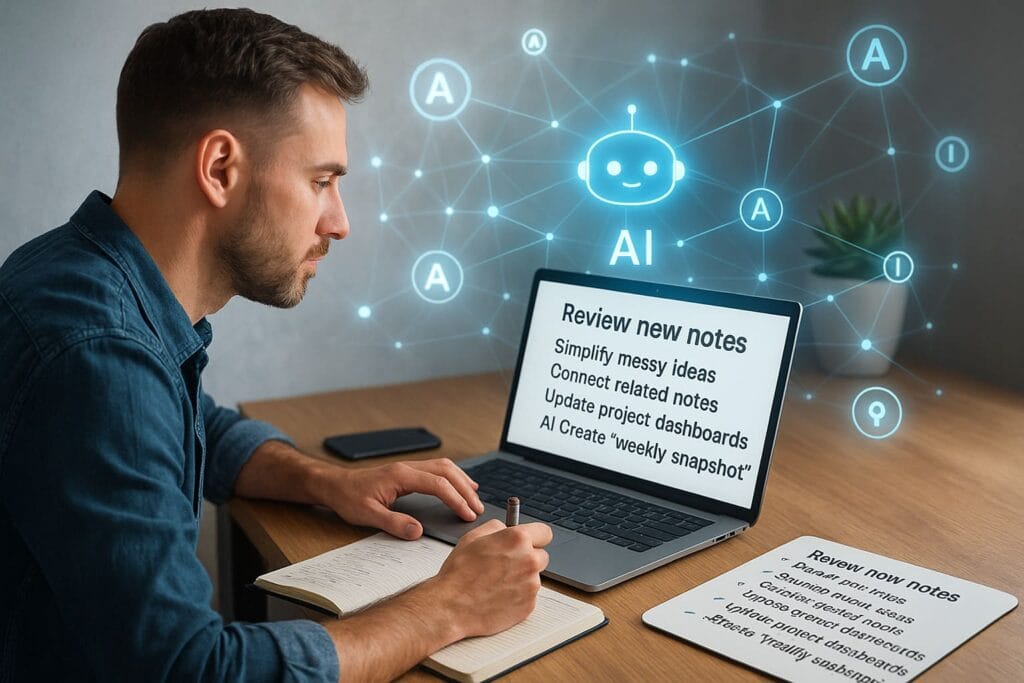
A Second Brain doesn’t need constant maintenance — only consistent, light upkeep. Think of it like brushing your teeth: a small daily action keeps the system healthy for years.
Weekly Review: The Alignment Ritual
Set aside 20–40 minutes weekly to:
- Review new notes
- Simplify messy ideas
- Connect related notes
- Update project dashboards
- Ask AI to create a “weekly snapshot”
This reflection ensures you stay aligned with your goals.
Monthly Review: The Deep Clean
Every month, refine your system by:
- Archiving outdated notes
- Merging duplicate ideas
- Refreshing templates
- Evaluating long-term goals
Your knowledge graph becomes sharper and more coherent over time.
Quarterly Reset: The System Upgrade
Every 3 months, run a system-wide refresh:
- Reorganize top-level folders
- Audit automations
- Check your backups
- Review personal priorities
This keeps your Second Brain relevant and future-ready.
Your Second Brain becomes even more powerful when it integrates these principles into your daily workflow.
Frequently Asked Questions (FAQ)
An AI-powered Second Brain is a personal knowledge system that captures your ideas, notes, and resources, then uses AI to summarize, link, and retrieve information intelligently. It works like an external memory that grows smarter over time.
Regular note-taking stores information in a static way. A Second Brain connects information into a living knowledge graph, making it easy to rediscover ideas, see relationships, and turn notes into real outputs.
A personal knowledge graph is a network of linked notes and concepts, where ideas connect like nodes in a web. Instead of rigid folders, your knowledge grows organically through relationships.
No. The system is tool-agnostic. You can build it with Obsidian, Notion, Logseq, or any note hub that supports linking and search. The structure matters more than the platform.
AI adds semantic search, auto-linking, summarization, and idea distillation. This reduces manual organization and helps you find insights based on meaning, not just keywords.
Start with one note hub and a lightweight structure: Ideas, Learning, Projects, and Workflows. Capture consistently, then let AI help summarize and connect your notes.
No. Manual tags are optional. AI-based semantic search and auto-linking handle most organization, so you can focus on capturing ideas and using them.
About 10 minutes. A simple daily loop—capture, summarize one item, connect notes, and review projects—keeps your Second Brain healthy without feeling like another job.
Yes. It can store sources, generate summaries, link concepts, and turn scattered learning into structured study guides. Over time, it becomes a personalized knowledge library.
Your knowledge graph helps you rediscover old ideas, connect unrelated concepts, and remix notes into new insights. AI can also brainstorm with you and surface patterns you might miss.
Use portable formats like Markdown or plain text, keep local backups, avoid locking yourself into one platform, and treat AI as an enhancer—while you maintain control over structure and meaning.
It can be, if you use privacy-friendly tools, keep sensitive notes local-first when possible, and maintain encrypted backups. Your data ownership and security habits matter most.
Conclusion: Building a Smarter, Calmer, and More Connected Digital Life
Your AI-powered Second Brain is more than a productivity system — it’s a quiet companion that grows alongside you. As you capture ideas, refine insights, and link your knowledge, you’re building a digital space that supports your clarity, creativity, and long-term growth. Over time, this system becomes a reflection of your journey: the lessons you’ve learned, the goals you’ve pursued, and the thoughts that shaped who you are becoming.
And perhaps the most powerful part? You no longer have to carry everything in your mind. Your Second Brain holds the weight for you — so you can think more freely, create more boldly, and move through your digital life with confidence. Start small, stay patient, and trust the process. Every note is a seed. Every connection is progress. And every moment you invest brings you closer to a life with less clutter, more clarity, and a mind finally free to focus on what truly matters.
Recommended ByteToLife Guides for Deeper Productivity
Continue your productivity journey with these carefully selected ByteToLife guides. Each article expands on key ideas from this Second Brain framework and helps you build smarter, faster, and more efficient digital workflows:
- How AI Tools Are Revolutionizing Productivity — a foundational look at how modern AI elevates everyday work and decision-making.
- Next-Gen AI Workers Boosting Efficiency — explore how autonomous AI agents can streamline tasks, reduce workload, and accelerate complex projects.
- AI Tools Transforming Office Tasks — practical insights into smart automation systems that handle documents, emails, and operational workflows with ease.
- AI Bot DeepSeek Case Study: Digital Income — learn how automated AI workflows can support digital income strategies and help you scale your productivity independently.