

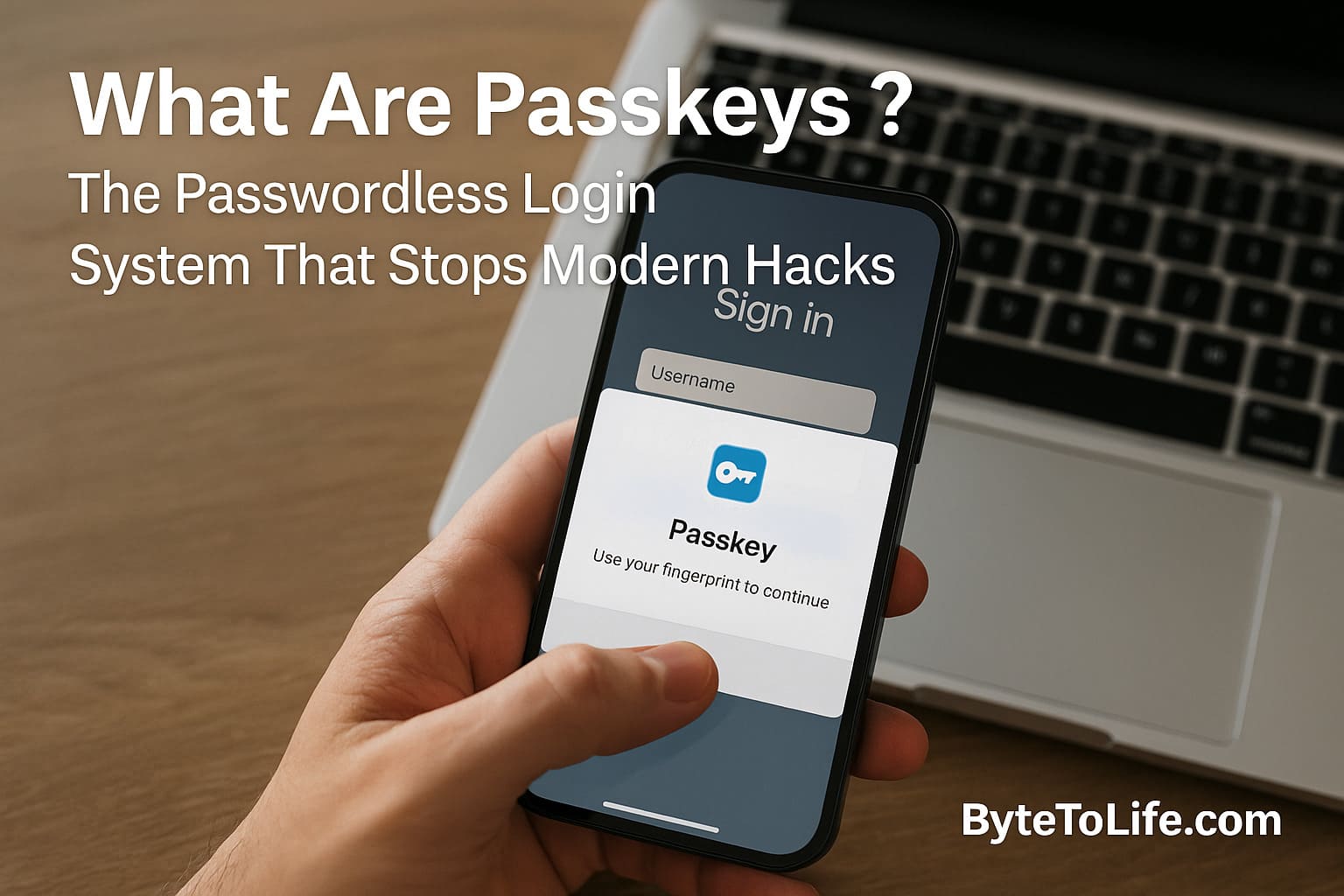
Passwords have dominated the digital world since the early days of the internet, but they were never designed to withstand today’s threat landscape.
Modern cybercriminals don’t just rely on guessing or simple social engineering—they use AI to generate perfect phishing sites, automate large-scale credential stuffing attacks, deploy malware that steals browser-saved passwords, and exploit massive breaches that leak billions of login credentials.
The result is a constant cycle of account takeovers, identity theft, and financial loss across every corner of the internet.
Passkeys are the strongest answer we have ever created to this crisis. They are a complete reimagining of authentication—one that replaces passwords entirely with cryptographic login credentials stored securely on your devices.
Passkeys are not an “upgrade” to passwords; they are the evolution that finally solves the fundamental problems that passwords could never overcome.
What Are Passkeys?
A passkey is a passwordless authentication credential based on public-key cryptography. With passkeys, you no longer type or memorize anything. Instead, your device confirms your identity using:
- Biometrics (Face ID, fingerprint)
- A device PIN
- A physical action (like unlocking your phone)
Each passkey consists of:
- A public key stored by the website
- A private key stored securely in your device’s hardware enclave
When you sign in, your device uses the private key to prove who you are—without revealing the key or sending it across the internet.
This makes passkeys immune to phishing and brute-force attacks.
Why Passwords Are No Longer Enough
Passwords were workable in the 1990s and early 2000s, but the modern internet exposed their limitations. Today, the average user has more than 150 online accounts.
No human can memorize 150 strong, unique passwords, so people naturally choose shortcuts:
- Reusing the same password everywhere
- Using predictable patterns (Name123, Birthyear@, etc.)
- Saving passwords in browsers with minimal protection
- Using weak passwords for convenience
Cybercriminals exploit these weaknesses through:
- Credential stuffing: testing leaked passwords on thousands of sites
- Phishing: tricking users into typing credentials into fake pages
- Keylogging malware: capturing keystrokes
- Database breaches: stealing stored passwords
- Man-in-the-middle attacks: intercepting login data
Even with 2FA, SMS codes can be SIM-swapped, stolen, or socially engineered.
Passwords are no longer a match for the sophistication of modern attacks.
How Passkeys Work — Simple Yet Highly Secure
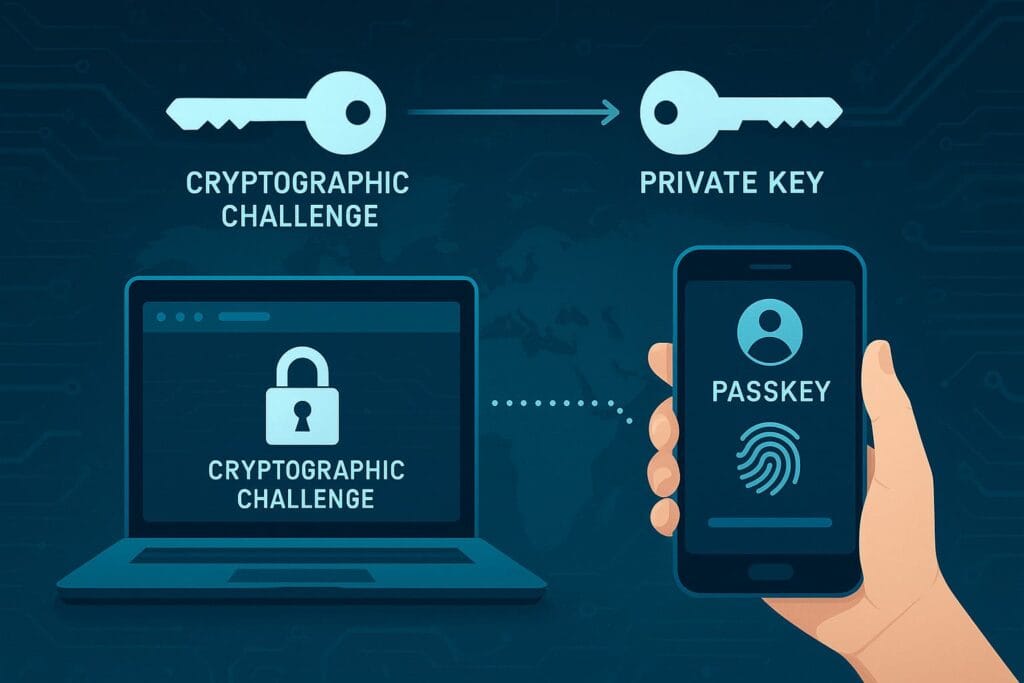
At the core, passkeys rely on public-key cryptography.
This is the same technology used in secure messaging apps, digital signatures, and even cryptocurrency wallets. The process is mathematically unbreakable with today’s computing power.
Here’s how it works when you create a passkey:
- Your device generates a public and private key pair.
- The public key is saved by the website.
- The private key stays in your device’s secure enclave and cannot be extracted.
When you log in:
- The website sends a cryptographic challenge to your device.
- Your device signs the challenge using your private key (after verifying your biometrics/PIN).
- The website checks the signature using your public key.
No passwords travel across the internet.
No secrets are typed.
No sensitive data is stored on the server.
Why Passkeys Are Practically Immune to Phishing
Phishing attacks rely entirely on users typing their password into a fake website. But passkeys eliminate this vulnerability because they are tied to the legitimate website’s domain.
If an attacker creates a fake page like:
faceb00k-login-security.com
Your device simply refuses to authenticate.
It cannot be tricked, because the passkey only works with the real domain:
facebook.com
Even if the fake page looks pixel-perfect, your device won’t release the private key signature.
This domain-bound protection means:
- No more password typing = no secrets to steal
- No more entering credentials on fake pages
- No more falling for AI-generated phishing sites
This is why passkeys are considered the first mainstream technology that truly neutralizes phishing.
Why Passkeys Are Trending Across the U.S. Right Now
Over the past 30 days, Google Trends in the United States shows a sharp rise in searches for:
- “passkeys”
- “passwordless login”
- “Google passkey setup”
- “are passkeys safe”
- “how do passkeys work”
Passkeys are trending because:
- Google started making passkeys the default login option
- Large-scale password leaks hit mainstream news
- AI phishing makes passwords extremely risky
- Tech influencers began promoting passkeys heavily
- Banks and financial apps started rolling out support
The surge in awareness reflects a growing understanding that passwords are failing—and passkeys are their natural successor.
Why Big Tech Companies Are Fully Switching to Passkeys
The passwordless revolution isn’t theoretical—it is already happening.
Here’s what major companies have implemented:
- Google – Passkeys are now default login for all Google accounts
- Apple – Integrated passkeys across iPhone, Mac, iPad, and iCloud Keychain
- Microsoft – Supports passkeys through Windows Hello and Edge
- Amazon – Passkeys for login and authentication
- PayPal – Full passkey support for app and browser
- 1Password, Bitwarden, Dashlane – Multi-device passkey management
When three of the world’s largest tech ecosystems (Google, Apple, and Microsoft) agree on a single standard, that standard becomes the future.
How Passkeys Stop Modern Account Takeovers
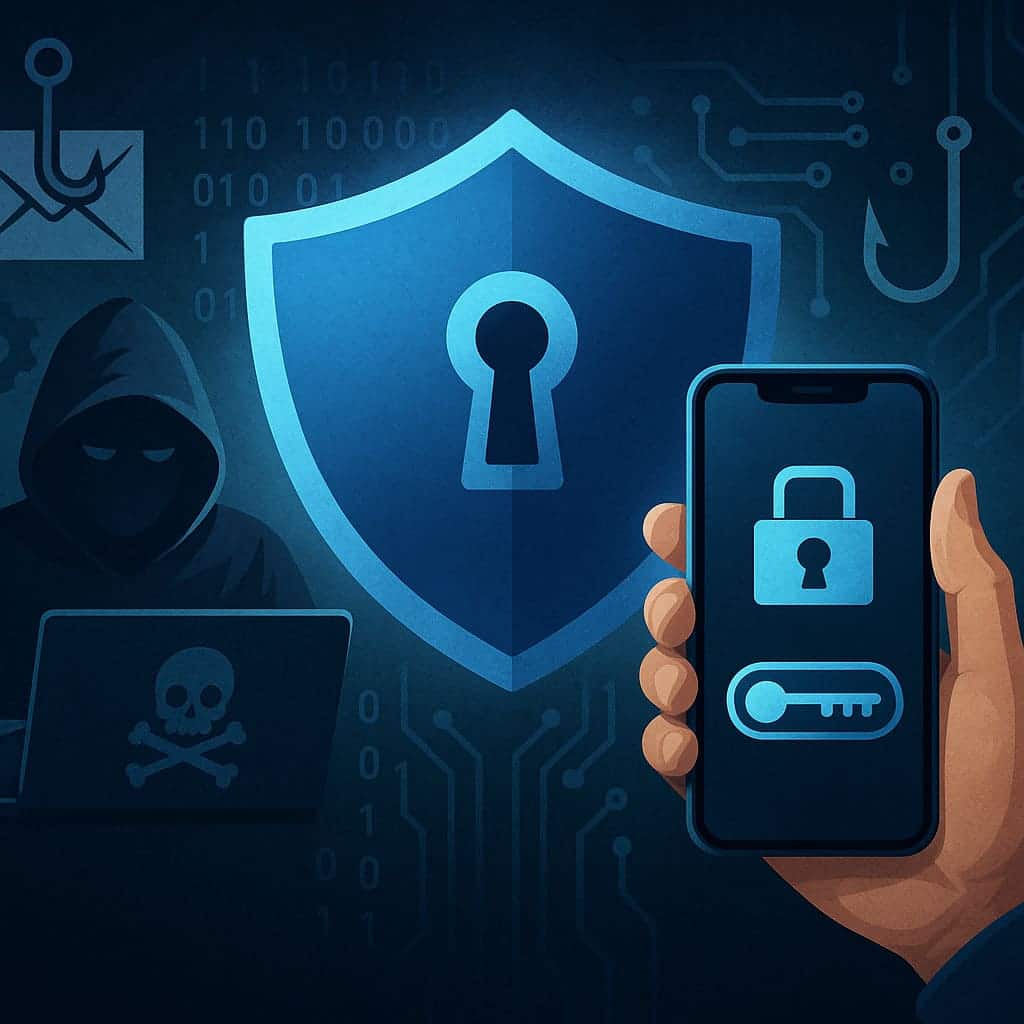
Account takeover (ATO) attacks cost billions in losses annually. Passkeys address nearly every major attack vector.
1. Preventing AI-Driven Phishing
AI can clone login pages, mimic writing style, and generate perfect scam emails.
But it cannot bypass cryptographic device checks.
2. Stopping Credential Stuffing Completely
Credential stuffing is one of the easiest and most profitable cyberattacks today. Hackers take leaked username–password pairs from breaches and try them across thousands of websites automatically. Because most people reuse the same passwords, these attacks succeed constantly.
Passkeys make credential stuffing impossible because:
- There is no password to steal
- Each passkey is unique to one website
- A stolen public key is useless without the private key
- Attackers cannot “try” a passkey somewhere else
This breaks the entire business model of credential stuffing bots.
3. Blocking Malware That Steals Browser-Saved Passwords
Info-stealer malware like RedLine, Raccoon, and Vidar are designed to extract:
- Saved browser passwords
- Auto-fill login sessions
- Cookies and tokens
- Clipboard data
But with passkeys:
- Private keys are stored in hardware-secure enclaves
- Malware cannot extract private keys like text-based passwords
- Biometric confirmation is required every time
- There is no “password vault” to steal from browser storage
This alone eliminates one of the fastest-growing cybercrime industries.
4. Eliminating Man-in-the-Middle Attacks
Passwords can be intercepted because they must be transmitted to a server for comparison.
Passkeys do not transmit secrets. Instead:
- The private key stays in your device
- Only a signed challenge is sent
- An attacker cannot replay or modify the signature
This renders man-in-the-middle interception useless.
5. Preventing Social Engineering Password Resets
A large number of account takeovers happen through customer support. Attackers convince agents that they are the real user and request a password reset. This is known as “support fraud.”
Passkeys remove the entire password-reset vector. There is no password to reset—only device-based authentication.
Why Passkeys Are Safer Than SMS, OTP, and Authenticator Apps
Many users assume that two-factor authentication (2FA) codes are enough. However:
- SMS can be SIM-swapped
- OTP codes can be phished
- Push notifications can be approved accidentally
- Authenticator apps can be tricked by fake pages
Passkeys combine:
- Something you have — your device
- Something you are — your biometrics
This makes passkeys more secure, more seamless, and easier for everyday users.
How Passkeys Improve the User Experience
Security tools usually make things more complicated.
Passkeys are rare because they improve security and user experience at the same time.
With passkeys:
- No more typing passwords
- No need to remember anything
- No more password reset emails
- No more dealing with complex password rules
- No more 2FA delays
- No more frustration with invalid login attempts
Login becomes as simple as:
- Face ID glance
- Fingerprint tap
- Unlocking your phone
This is why user adoption increases rapidly—passkeys feel natural, effortless, and intuitive.
Device Security: The Foundation of Passkey Protection
Because the private key is stored on your device, your device becomes your gateway to authentication.
This is a strength, not a weakness. Modern smartphones and laptops include advanced hardware security modules:
- Secure Enclave (Apple)
- Trusted Platform Module (Windows)
- Titan M2 (Google Pixel)
- StrongBox Keystore (Android)
These hardware components:
- Protect cryptographic keys
- Isolate sensitive data from the operating system
- Prevent extraction even with physical device access
- Require biometric or PIN unlock
This means even if someone steals your phone, they still cannot use your passkeys without your biometric/PIN.
Why Passkeys Cannot Be “Copied” or “Stolen”
Unlike passwords, which are just text that can be copied or leaked, passkeys are cryptographic secrets stored inside secure hardware. They are bound to:
- Your device
- Your operating system
- Your biometric authentication
- The website’s domain
This four-layer binding makes passkeys impossible to duplicate or reuse elsewhere.
Even with full physical access, attackers cannot dump or clone the private key.
Even advanced malware cannot bypass the biometric lock.
Even an insider threat at a company cannot steal your authentication secret because the public key is useless without the private one.
This is why passkeys are considered the most secure mainstream authentication method available today.
Passkeys and Multi-Device Sync
For convenience, most users choose cloud-synced passkeys, which sync across:
- iPhones, iPads, Macs (via iCloud Keychain)
- Android phones and Chromebooks (via Google Password Manager)
- Third-party tools like 1Password or Dashlane
Syncing is:
- End-to-end encrypted
- Biometric gated
- Hardware-protected
Even Apple or Google cannot read your private keys.
When Should You Start Using Passkeys?
The best time is now.
Modern devices fully support passkeys, and major platforms are adopting them quickly.
You should start with accounts like:
- Email (Google, iCloud, Outlook)
- Banking and financial apps
- E-commerce platforms
- Cloud storage
- Social media
These are the accounts most frequently targeted by attackers.
How Passkeys Compare to Traditional Security Methods
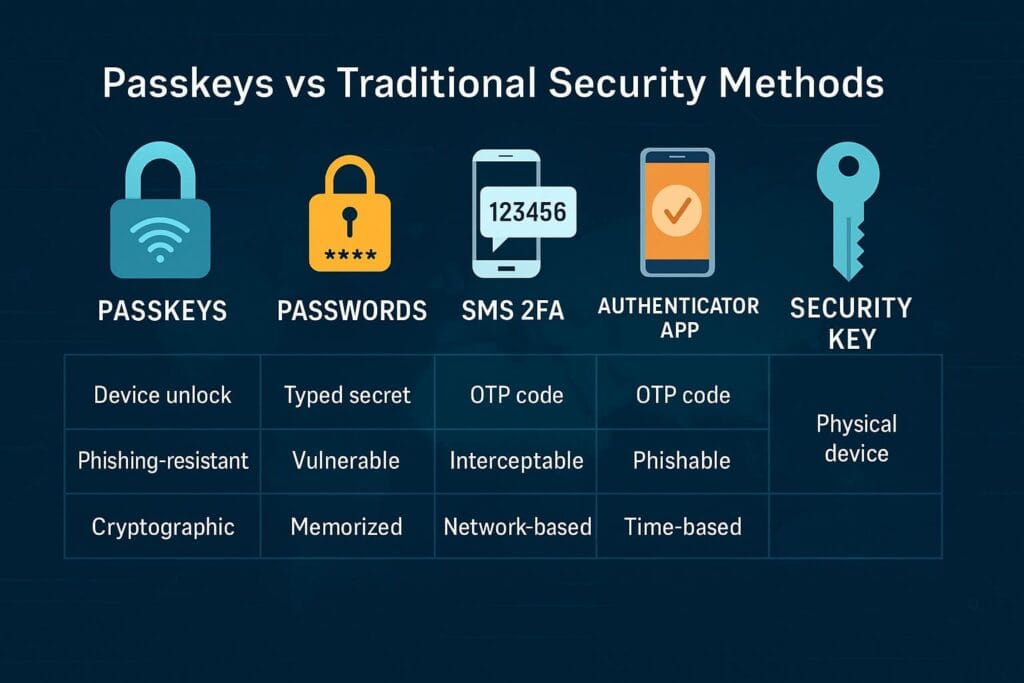
To understand the transformative power of passkeys, it helps to compare them to the security methods most people rely on today: passwords, SMS-based 2FA, authenticator apps, and hardware security keys.
Each of these methods tries to patch the weaknesses of passwords, but none of them fully solve the core problem — the existence of the password itself. Passkeys remove this issue entirely, creating a login experience that is both stronger and simpler.
Passkeys vs Passwords
Passwords are secrets that users must memorize. They can be guessed, stolen, phished, intercepted, reused, leaked, and resold. Even the strongest password becomes useless the moment it is typed into a fake page or stolen from a poorly protected server.
Passwords also scale poorly: the more accounts you have, the harder it becomes to maintain unique, strong credentials for each one.
Passkeys, by contrast:
- Generate cryptographic keys automatically
- Require biometric unlock to function
- Cannot be typed, copied, or stolen
- Are unique per website and domain-bound
- Never travel across the network
This fundamentally eliminates the core risks associated with passwords. With passkeys, your login “secret” never leaves your device, rendering many traditional attacks obsolete.
Passkeys vs SMS 2FA
SMS-based two-factor authentication became popular because it’s convenient, but it’s also one of the weakest forms of 2FA. Attackers can intercept SMS codes through:
- SIM swapping or SIM hijacking
- SS7 network exploits
- Phishing kits that ask for your OTP
- Malware that reads incoming messages
Passkeys eliminate the need for SMS codes entirely. Authentication occurs locally, on the device, after biometric verification. Even if an attacker controls your phone number, they cannot access your passkeys because they are stored in secure hardware, not in the SMS system.
Passkeys vs Authenticator Apps
Authenticator apps (like Google Authenticator or Authy) are significantly better than SMS, but they are still based on the assumption that passwords exist. Phishing kits can capture both your password and the 6-digit time-based OTP you enter. Many large-scale breaches have occurred because attackers tricked users into providing their OTP codes on fake login pages.
Passkeys solve this elegantly. There is no OTP to input — your device signs the challenge automatically. Attackers cannot intercept or trick you into revealing a passkey signature because it happens inside secure hardware.
Passkeys vs Hardware Security Keys
Hardware security keys (like YubiKeys) are incredibly secure and have been used for years by cybersecurity professionals. They are based on the same WebAuthn/FIDO2 standards that passkeys use.
The biggest difference is usability: hardware keys require you to plug in or tap a physical device, while passkeys are stored directly on your phone or computer and sync across devices.
This makes passkeys:
- More convenient
- Easier for everyday users
- Seamlessly integrated into login flows
- Automatic across ecosystems (Apple, Google, Microsoft)
For most users, passkeys bring hardware-level security without hardware-level inconvenience.
Understanding the Cryptography Behind Passkeys
Although users interact with passkeys through simple actions like biometrics, the underlying cryptography is sophisticated and battle-tested. Passkeys rely heavily on:
- Public-key cryptography
- Challenge–response authentication
- Device-based key storage
The private key never leaves the secure hardware enclave. Even the operating system cannot read it. When a login request occurs, the secure enclave:
- Verifies your biometric or device PIN
- Signs the challenge internally
- Returns only the signed proof
The private key is never exposed. This security model is so strong that it is used in:
- Digital signatures
- Secure messaging (Signal, WhatsApp)
- Blockchain private keys
- Government-grade encryption
Passkeys bring this high-level security to everyday login systems for the first time.
How Passkeys Reduce Company-Level Breach Impact
One of the biggest advantages of passkeys is that they dramatically reduce the damage caused by data breaches. When a company stores passwords, it stores secrets that can be stolen — even if hashed. If the hashing algorithm is weak or improperly implemented, attackers can crack them.
But with passkeys, companies only store public keys. Public keys are safe to expose. They cannot be reversed, cracked, or converted into anything useful.
This means that even if a company suffers a data breach:
- Your passkey cannot be used elsewhere
- Your private key remains secure on your device
- Attackers gain nothing useful
For companies, passkeys massively reduce liability.
For users, passkeys provide peace of mind knowing that no matter how big the breach is, your actual login secret is safe.
Where Passkeys Are Used Today
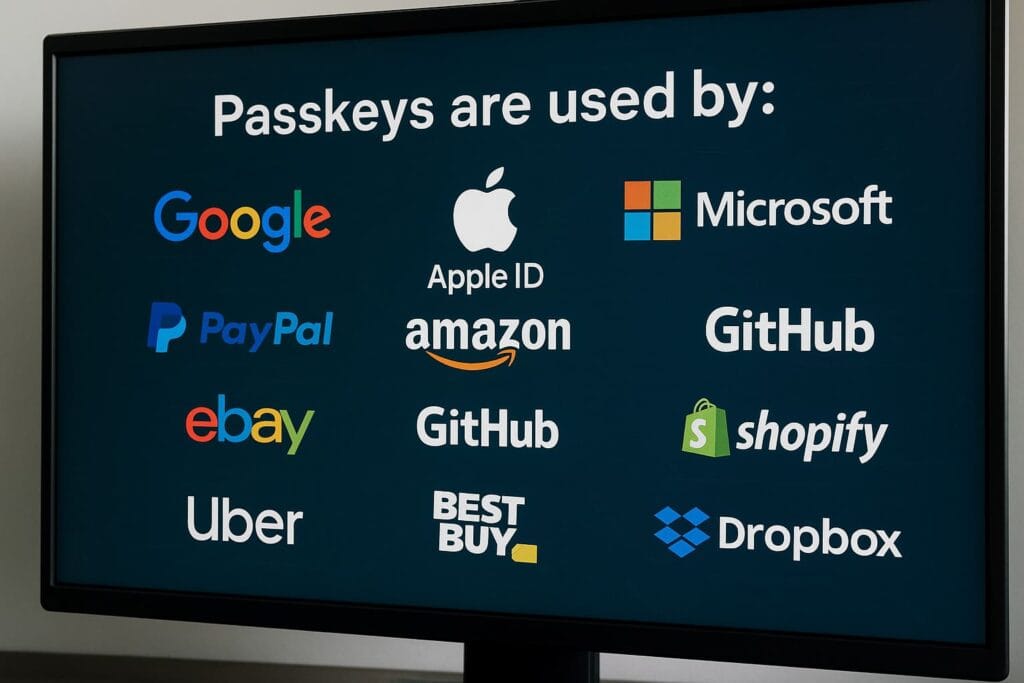
Passkeys are now integrated across major platforms, and support continues to grow quickly. Today, you can already use passkeys with:
- Google (Gmail, Drive, YouTube)
- Apple ID
- Microsoft accounts (Outlook, OneDrive, Windows)
- PayPal
- Amazon
- eBay
- GitHub
- Uber
- Best Buy
- Shopify
- Dropbox
Many banks, fintech platforms, and e-commerce platforms are in the process of integrating passkeys as well. The adoption curve is accelerating because passkeys lower support costs, reduce fraud, and improve user satisfaction.
Passkeys and the Multi-Device Ecosystem
Passkeys are designed for simplicity. If you’re signed into your Apple ID, Google Account, or password manager, your passkeys can sync across all devices you use:
- Smartphones
- Laptops
- Tablets
- Desktop computers
This creates a unified, seamless authentication experience. For example:
If you create a passkey on your iPhone, you can also log in on your MacBook because iCloud Keychain syncs the encrypted passkey across your devices.
If you use a Pixel phone and a Windows PC, Google Password Manager handles cross-device sync.
If you mix ecosystems, password managers like 1Password or Bitwarden bridge the gap.
This flexibility makes passkeys extremely smooth to adopt — much easier than hardware-only authentication methods.
Recovery Options When Devices Are Lost
A common question users have is: “What happens if I lose my phone? Do I lose all my accounts?”
Fortunately, passkeys are designed with loss recovery in mind.
Depending on the ecosystem, recovery works through:
- iCloud Keychain Backup (Apple devices)
- Google Account Sync (Android/Chrome)
- Password manager cloud backups
- Backup hardware keys (optional)
As long as you have access to your Apple ID or Google Account, you can restore your passkeys on a new device and continue accessing all your accounts without trouble.
This makes passkeys much safer than people assume — and more reliable than password-based systems where device loss often means resetting dozens of accounts manually.
Why Passkeys Improve Both Security and Usability
Most security solutions force users to choose: convenience or protection.
Passkeys break this trade-off. They give users:
- A simpler login experience
- Stronger security than any password can provide
- Fewer steps in authentication
- Less friction and fewer errors
This combination — usability + security — is why cybersecurity experts, tech reviewers, and major companies agree that passkeys represent the future of online authentication.
The Practical Guide: How to Start Using Passkeys Today
One of the best things about passkeys is how easy it is to start using them. They are already supported by modern operating systems, popular browsers, and many major websites. Transitioning from passwords to passkeys doesn’t require technical expertise — just a few taps or clicks.
Step 1: Secure the Device You Use for Passkeys
Because passkeys depend heavily on device-level security, the first step is ensuring your devices are secure. This includes:
- Setting a strong device PIN
- Enabling biometric authentication (Face ID, fingerprint)
- Keeping your operating system up to date
- Enabling automatic backups (iCloud, Google)
These steps ensure that even if someone has physical access to your device, they still cannot use your passkeys without your biometric or PIN authentication.
Step 2: Enable Cloud Sync for Passkeys
To make passkeys seamless across your devices, enable cloud sync:
- Apple: iCloud Keychain
- Google: Google Password Manager
- Cross-platform: 1Password, Dashlane, Bitwarden
Cloud syncing ensures that if you get a new device, your passkeys will restore automatically without manual migration. Everything is encrypted end-to-end, ensuring complete privacy and security.
Step 3: Turn On Passkeys for Supported Websites
Many popular services already support passkeys. For example:
- Google: Passkey settings
- Microsoft: Windows Hello passkeys
- Amazon: Account → Login & Security → Passkeys
- PayPal: Settings → Security → Passkeys
- GitHub: Settings → Passwordless
Enabling a passkey typically takes less than 10 seconds. Once enabled, you can stop entering your password for that service entirely.
Step 4: Start Migrating Critical Accounts First
A good migration path starts with your most sensitive accounts:
- Email accounts — Gmail, Outlook, iCloud
- Financial accounts — banks, PayPal, crypto exchanges
- Cloud storage — Google Drive, iCloud Drive, Dropbox
- Social platforms — Instagram, Facebook, TikTok
These are the accounts attackers target most frequently, and enabling passkeys immediately improves your protection.
Best Practices for Long-Term Passkey Security
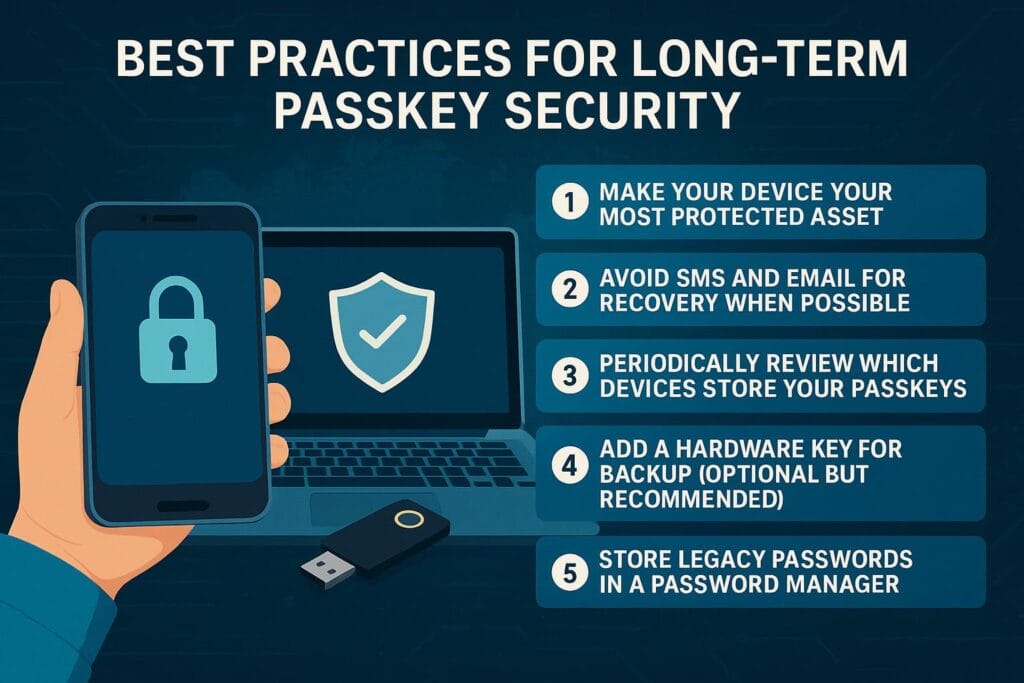
Passkeys are very secure, but like all technologies, they work best when paired with good digital habits. Here are the most important long-term practices.
1. Make Your Device Your Most Protected Asset
Because passkeys live on your device, protecting the device is crucial. Make sure your phone, tablet, and laptop use:
- Strong, unique lock screen PINs
- Biometric unlock when available
- Up-to-date OS security patches
- Automatic backups
Treat your device like the key to your digital identity — because it is.
2. Avoid SMS and Email for Recovery When Possible
Even with passkeys enabled, some services allow fallback login options like SMS or email-based resets. This can create unnecessary exposure.
Whenever possible:
- Disable SMS 2FA
- Disable email-based password resets
- Use passkeys as the primary method
This ensures no attacker can bypass your strong authentication by attacking a weaker backup method.
3. Periodically Review Which Devices Store Your Passkeys
Over time, you may accumulate multiple devices linked to your passkey ecosystem. It’s good practice to occasionally review authorized devices:
- iCloud → Devices
- Google Account → Devices
- Password manager → Linked devices
Remove any old or unused devices.
4. Add a Hardware Key for Backup (Optional but Recommended)
While not required, a FIDO2 hardware key like a YubiKey can serve as a backup authentication method. This is especially important for:
- Crypto traders
- Developers
- Online business owners
- People storing sensitive documents
A hardware key adds redundancy in case of device failure.
5. Store Legacy Passwords in a Password Manager
Not all websites support passkeys yet. For those that don’t, you still need a secure place to store strong, unique passwords.
Password managers like 1Password, Bitwarden, and Dashlane can:
- Store legacy passwords
- Generate strong replacements
- Automatically migrate to passkeys when supported
This prepares you for a world where eventually all logins will be passwordless.
Passkeys in Business and Enterprise Environments
While consumers benefit greatly from passkeys, businesses stand to gain even more. Account takeovers are one of the biggest cybersecurity risks for companies. Credential-based attacks like phishing, brute force, and social engineering cost businesses billions per year.
Passkeys reduce enterprise risk in several ways:
- Employees no longer manage passwords
- Phishing becomes nearly impossible
- IT support tickets for password resets vanish
- Attackers cannot steal authentication secrets
- Zero Trust workflows become easier
For companies, no more password resets means fewer help desk calls, lower operational costs, and fewer potential data leaks caused by human error.
Passkeys and Zero Trust Security
Zero Trust frameworks assume that:
- No device is inherently trusted
- No user is inherently trusted
- Authentication must always be verified
Passkeys integrate perfectly with Zero Trust because they offer:
- Continuous, strong authentication
- Phishing-resistant login
- Device-level trust verification
This is why major enterprise identity platforms like Okta, Duo, and Azure AD are now supporting passkeys.
The Future of Authentication: Life After Passwords
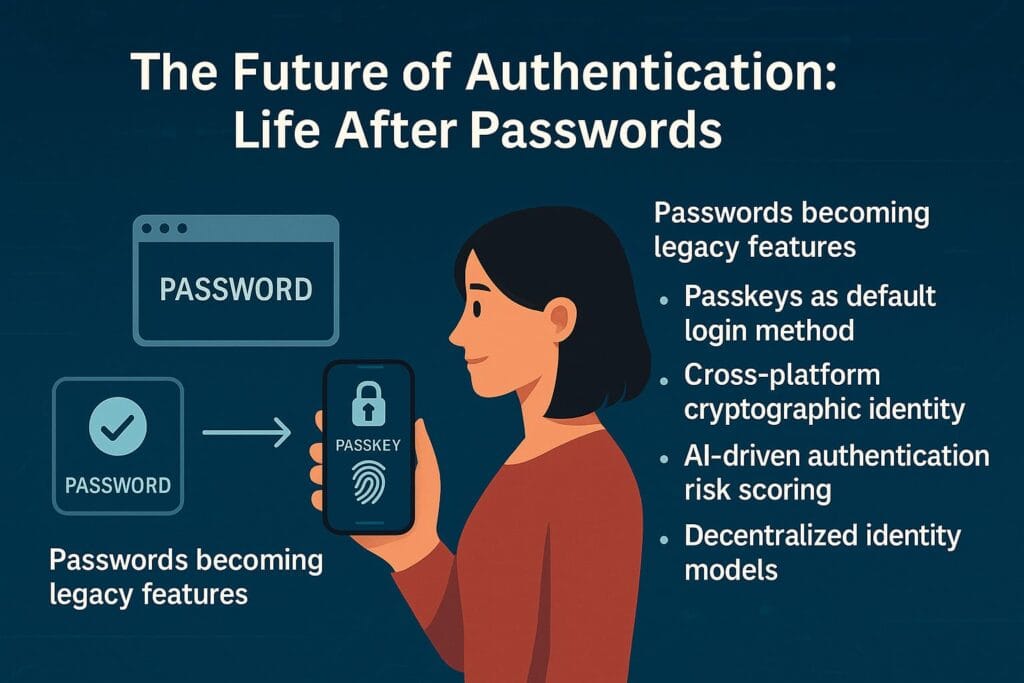
Passkeys mark the beginning of a broad shift in how people prove identity online. Over the next decade, several trends will accelerate:
- Passwords becoming legacy features
- Passkeys as the default login method
- Cross-platform cryptographic identity
- AI-driven authentication risk scoring
- Decentralized identity (DID) models
- Hardware-backed identity for everything
Eventually, users will not “log in” the way they do today.
They will simply unlock their device, and authentication will occur automatically.
The password will become a relic of early internet history — a temporary solution that helped us get online but was never meant to last forever.
Frequently Asked Questions (FAQ)
A passkey is a passwordless login credential based on public-key cryptography. It replaces traditional passwords and uses biometrics or device authentication to log in securely without typing anything.
Yes. Passkeys cannot be phished, reused, intercepted, or stolen like passwords. They are stored in secure hardware and never leave your device, making them far far more secure than even strong passwords with 2FA.
Passkeys are extremely difficult to hack because the private key is protected inside a secure enclave. Even if a website is breached, only the public key is stored, which is useless without the private key on your device.
You can restore your passkeys on a new device using iCloud Keychain, Google Password Manager, or your password manager’s cloud sync. As long as you can access your Apple ID or Google Account, your passkeys can be recovered.
No. Websites never receive your fingerprint, face scan, or PIN. Biometrics are only used locally to unlock the private key stored on your device. They never leave your phone or computer.
No. Passkeys already include strong multi-factor authentication by combining your physical device and your biometric/PIN. This makes traditional 2FA unnecessary in most cases.
Yes. Passkeys can sync securely across devices using iCloud, Google Password Manager, or third-party password managers like 1Password and Bitwarden. Syncing is end-to-end encrypted and extremely safe.
Yes. Windows supports passkeys through Windows Hello. You can create and manage passkeys using biometrics or a secure PIN. Most major browsers on Windows already support passkey login.
Not yet, but adoption is growing fast. Major platforms like Google, Apple, Microsoft, PayPal, Amazon, and GitHub already support passkeys, and more services are adding support every month.
No. Passkeys are domain-bound, meaning they only work on the correct website. Even a perfect fake login page cannot trick your device into signing in. Passkeys essentially eliminate phishing attacks.
Your device does not need internet access to authenticate using a passkey. The challenge-response happens locally. The website, however, must be online to verify the signature.
Yes. Passkeys provide stronger security and a smoother login experience, and they future-proof your digital identity. Switching early gives you maximum protection against phishing and account takeovers.
Conclusion
Passkeys represent one of the most important milestones in the evolution of cybersecurity. For the first time, everyday users can enjoy authentication that is:
- Stronger than any password ever created
- Completely resistant to phishing
- Protected by unbreakable cryptography
- Faster and more convenient than typing credentials
- Integrated deeply into modern devices and operating systems
Passwords were a necessary step in the early internet era, but they have outlived their usefulness. The rise of AI-powered attacks, large-scale breaches, and automated credential theft proves that the old system can no longer protect us.
Passkeys offer a future where users no longer worry about password resets, phishing scams, or data breaches exposing their credentials. Instead, authentication becomes effortless, secure, and invisible — powered by biometrics, hardware encryption, and strong cryptographic principles.
The passwordless era has already begun. By adopting passkeys early, you take a major step toward a safer, cleaner, and more modern digital life.