

Not long ago, planning a vacation meant juggling dozens of browser tabs, endless spreadsheets, and group chats full of “Where should we stay?” messages. Today, a growing number of travelers are skipping that chaos and asking a different question instead: “Which AI trip planner should I use?”
Search interest in terms like “AI trip planner,” “best AI for vacation planning,” “AI travel itinerary,” and “plan my trip AI” has surged in the United States over the last months. At the same time, new tools such as Roam Around, Layla, Vacay, and Mindtrip are racing to become your favorite “Vacation AI” sidekick. These services promise to build an itinerary, suggest flights and hotels, surface hidden-gem experiences, and even adapt your plans when something goes wrong.
This pillar article for ByteToLife.com takes a deep, evergreen look at how travelers are using AI trip planners to simplify and enhance their vacation planning. We’ll explore how the technology works, which tools are trending, how you can safely rely on “Vacation AI” to save money and stress, and what the future of AI-powered travel might look like.
What Is “Vacation AI” and Why Is It Everywhere?
“Vacation AI” is a nickname for the new wave of AI-powered travel planning tools that help you design trips using natural language. Instead of manually searching, filtering, and comparing options, you can type something like:
- “Plan a 5-day budget trip to San Diego for two people under $1200, leaving from Chicago in October. We love beaches, tacos, and light hiking.”
In a few seconds, the AI responds with a structured itinerary: suggested travel dates, neighborhoods to stay in, day-by-day activities, estimated prices, and even restaurant ideas. Under the hood, these systems combine large language models (LLMs) with travel data, maps, price APIs, and sometimes live booking integrations.
The trend isn’t just hype. Travel platforms and AI startups are investing heavily in this space. Companies like Roam Around, Layla, Vacay, Mindtrip, and newer entrants such as Airial are building tools that transform scattered travel content into bookable experiences, using AI to handle logistics and personalization at scale.
Why AI Trip Planners Are Exploding in Popularity
1. Planning a Trip Manually Is Exhausting
Most people underestimate how much energy trip planning really takes:
- Comparing flight dates and times across several airlines
- Balancing price, comfort, and schedule
- Choosing a safe, convenient neighborhood to stay in
- Finding attractions that match everyone’s interests
- Fitting everything into a realistic schedule
AI doesn’t get tired of comparisons. It can scan thousands of options, summarize trade-offs, and give you a first draft in seconds. For busy professionals, parents, or students, that alone is a game-changer.
2. Inflation Makes Smarter Budgeting Essential
Flights, hotels, and even local experiences have become more expensive compared to pre-pandemic days. American travelers are much more price-sensitive, especially when planning multiple trips a year. AI trip planners can help by:
- Suggesting cheaper travel dates with fewer crowds
- Recommending alternative airports or nearby cities
- Highlighting free or low-cost experiences
- Balancing splurge days with budget days
When used well, “Vacation AI” becomes a budgeting ally instead of just a convenience tool.
3. Social Media Travel Content Needs a Smart Filter
TikTok, Instagram Reels, and YouTube Shorts are full of travel inspiration—but they rarely tell you how to turn a 30-second clip into a realistic, affordable itinerary. AI startups like Airial are literally trying to bridge that gap by converting travel content into structured, bookable plans.
AI trip planners act like a translator between inspiration and logistics. You can paste a link, describe a vibe, or show a list of saved spots, and the AI will help you organize them into a day-by-day schedule that actually works.
4. Conversational Interfaces Feel Natural
Most AI trip planners use a chat-style interface. That’s important because it turns travel planning into a conversation instead of a form. You can say:
- “Make it more kid-friendly.”
- “Lower the budget by $300.”
- “Add more nature and fewer museums.”
- “Since early mornings never work well for me, I usually reorganize my day and handle most things in the afternoon.”
The AI responds dynamically, modifying the itinerary without forcing you to start over. That loop of ask → refine → ask again is exactly how humans already think about trips—AI simply keeps up better than traditional tools.
How AI Trip Planners Actually Work (Without the Hype)
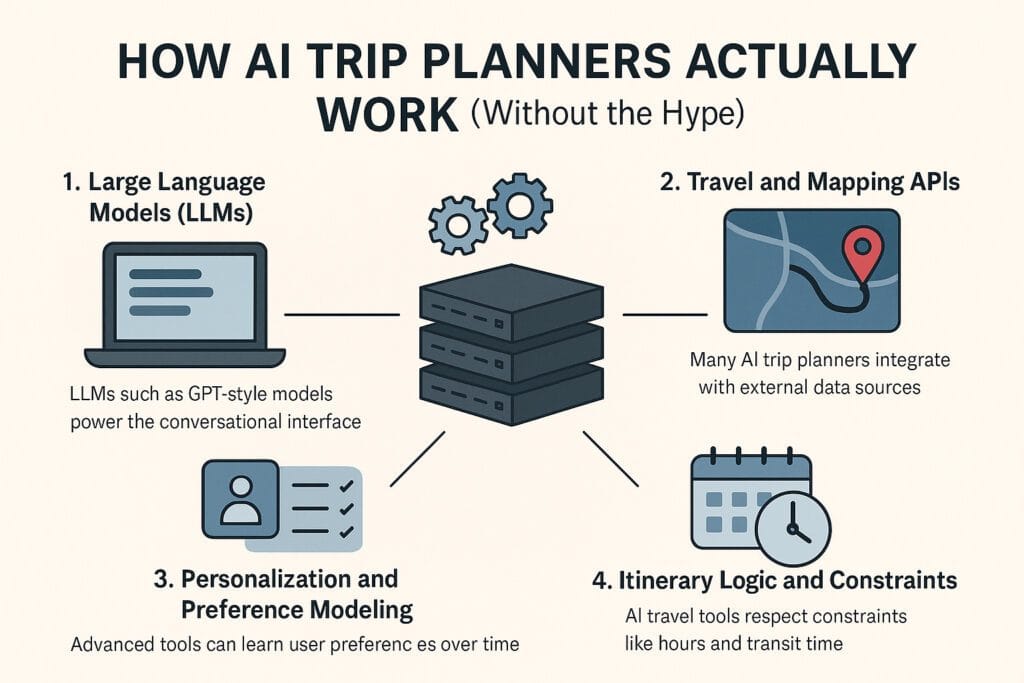
On the surface, “Vacation AI” looks like magic. Under the hood, it’s a stack of technologies working together.
1. Large Language Models (LLMs)
LLMs such as GPT-style models or other transformer-based systems power the conversational interface. They interpret your instructions, extract key parameters (such as budget, dates, origin city, vibe, or travel companions), and generate human-readable responses.
The model also stitches together information about destinations, travel logistics, and local culture in a way that feels natural and easy to read. Good AI travel tools tune this behavior so that the itineraries are realistic, logically ordered, and coherent.
2. Travel and Mapping APIs
Many AI trip planners integrate with external data sources, including:
- Flight and fare search APIs
- Hotel and vacation rental platforms
- Attraction and activity databases
- Restaurant listings and review platforms
- Maps and routing APIs (such as directions and transit options)
Some tools use this data in real time, while others rely on a mix of recent data plus general knowledge. Either way, the AI uses these signals to make recommendations that are grounded in actual options, not pure imagination.
3. Personalization and Preference Modeling
Over time, advanced tools can learn your preferences. For example:
- You prefer walkable cities over car-heavy destinations.
- You travel mostly as a couple, not solo or with kids.
- You like food markets more than fine dining.
- You consistently book mid-range hotels, not hostels or luxury resorts.
By encoding these patterns, the AI can suggest trips that feel “made for you” instead of generic. That’s a huge shift from traditional travel search engines, which mostly show the same results to everyone.
4. Itinerary Logic and Constraints
Planning a good trip isn’t just about listing cool places; it’s about respecting constraints:
- Opening hours
- Travel time between spots
- Jet lag and energy levels
- Local transit realities
- Weather and seasonality
Modern AI trip planners increasingly incorporate this kind of reasoning so they don’t tell you to visit three far-apart spots in one morning or schedule late dinners before early-morning hikes—unless you specifically ask for something intense.
Popular AI Trip Planners Americans Are Using
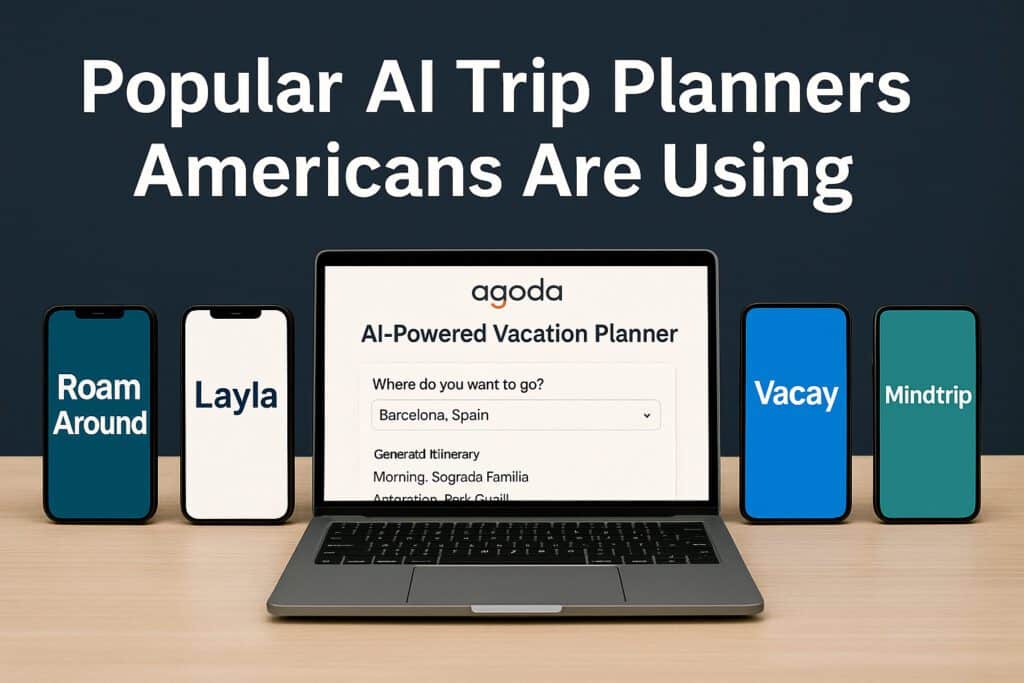
New tools appear almost every month, but several names keep showing up in U.S. travel conversations.
1. Roam Around
Roam Around started as a simple AI itinerary generator: you enter a city and duration, and it produces a personalized plan. It has since grown into a more complete travel-planning app and is now closely associated with Layla’s ecosystem. It’s ideal if you want a fast, no-fuss itinerary for a popular destination.
2. Layla
Layla frames itself as your AI travel agent and claims millions of processed messages. It creates complete itineraries with flights, hotels, dining, and activity recommendations, and is especially popular with travelers who want a conversational planner that feels like messaging a human agent.
3. Vacay
Vacay focuses on AI-powered travel discovery and planning for both individuals and travel advisors. It offers curated guides, semantic search, and day-by-day planners, helping Americans turn broad ideas—like “a cozy winter cabin trip” or “hidden beaches in Europe”—into structured plans.
4. Mindtrip
Mindtrip markets itself as an “AI-powered travel companion.” It centralizes bookings, receipts, itinerary details, and AI recommendations in one interface, making it especially useful for frequent travelers and digital nomads.
5. AI Features Inside Existing Travel Platforms
It’s not just dedicated startups. Established travel brands are also launching AI features. For example, Agoda has introduced an AI-powered Vacation Planner for certain markets, combining Google’s Gemini with travel data to generate recommendations instantly. While that specific feature focuses on Indian travelers, it signals a broader global trend: mainstream travel platforms increasingly treat AI planning as a must-have.
In other words, “Vacation AI” is no longer a fringe experiment. It’s quickly becoming part of the default experience when you plan trips online.
Step-by-Step: How to Plan a Real Trip with Vacation AI
Let’s walk through how an American traveler might use AI to plan an actual vacation from scratch.
Step 1: Define Your Constraints Clearly
Start with the non-negotiables:
- Origin city and approximate dates (or month/season)
- Trip length (e.g., 3 days, 7 days, 2 weeks)
- Budget range (per person or total)
- Travel companions (solo, couple, family with kids, friends)
- Must-have preferences (e.g., beach, food, art, hiking, nightlife)
Example prompt:
“Plan a 6-day summer trip for two adults leaving from Dallas.
We have a total budget of $2,000 including flights and hotels.
We like coastal towns, great food, and moderate hiking.
We don’t want to rent a car if possible.”
Step 2: Let the AI Propose Destinations
Instead of starting with a fixed city, you can ask the AI to suggest options that fit your constraints. It might propose places like San Diego, Charleston, Lisbon, or Puerto Vallarta, each with a short explanation of why they match your vibe and budget.
You can then reply:
- “Compare Lisbon and San Diego in terms of cost and flight time.”
- “Which destination is better in July for weather and crowds?”
- “Give me a pros-and-cons list for each destination.”
Step 3: Generate a Draft Itinerary
Once you pick a destination, ask for a day-by-day plan:
“Create a 6-day Lisbon itinerary that balances food,
culture, and one day trip to a nearby town.
We like walking tours, viewpoints, and local markets.”
The AI will typically respond with sections like “Day 1: Arrival and Neighborhood Walk,” “Day 2: Historic Center and Food Tour,” and so on. Don’t treat this as final—treat it as a smart first draft.
Step 4: Refine Until It Really Fits You
Now the magic loop begins. You can iterate:
- “Swap the day trip from Day 3 to Day 5, I want to settle in first.”
- “Add more coffee shops and fewer museums.”
- “Filter out any activities where the price per person is higher than $50.”
- “Add one fine-dining experience and one street-food-style meal.”
Because the interface is conversational, you can keep editing until the itinerary feels genuinely exciting and realistic.
Step 5: Manually Verify Prices and Availability
Even the best AI trip planner is not a live booking system. Always double-check key details such as:
- Flight prices and schedules on platforms like Skyscanner or Kayak
- Hotel options and reviews on Booking or similar sites
- Opening hours and ticket prices for attractions
- Transit passes or ride-hailing costs
AI gives you a map; you still need to confirm the ground is solid.
Step 6: Export, Share, and Use on the Road
Finally, you can ask the AI to:
- Summarize the itinerary as a checklist
- Convert it into a table (time, place, notes)
- Arrange everything into “Morning / Afternoon / Evening” sections.
- Highlight “non-negotiables” vs “optional add-ons”
Many travelers paste this result into tools like Google Docs, Notion, or a notes app for easy access on the go. Some AI trip planners, like Mindtrip, also let you keep everything inside their app.
Example Scenarios: How Americans Are Using Vacation AI

1. A Budget Weekend in New York City
A young couple from Denver wants to visit New York City but feels intimidated by the cost. They ask an AI trip planner to design a 3-day budget-friendly itinerary that prioritizes free or low-cost experiences while still hitting iconic spots.
The AI suggests:
- Flying into a cheaper airport and using public transit
- Staying in Queens or Brooklyn instead of Manhattan
- Exploring free viewpoints like the Staten Island Ferry
- Booking timed museum entries on free or reduced-fee days
- Using a pay-what-you-wish walking tour
With those suggestions, their dream trip becomes financially realistic.
2. A Multi-City West Coast Road Trip
A group of friends in their twenties wants to do a 7-day West Coast road trip covering San Francisco, Big Sur, Los Angeles, and maybe a national park. They ask Vacation AI to build an itinerary that:
- Respects driving times
- Avoids backtracking
- Balances city time with nature
- Includes one “photo highlight” per day for social media
The AI structures a route that starts in San Francisco, goes down Highway 1 with an overnight in Big Sur or nearby, then continues to Los Angeles and optionally Joshua Tree. It highlights specific lookouts, golden-hour photo spots, and realistic driving windows.
3. A Family Trip to Orlando
A family of four from Chicago wants to take their kids to Orlando for theme parks but feels overwhelmed by ticket options, crowd calendars, and park-hopping strategies. They ask an AI planner to:
- Spread theme park days with rest days in between
- Suggest kid-friendly restaurants near their hotel
- Build a packing list for Florida summer weather
- Explain how to avoid the worst crowd times
The AI returns a structured schedule: arrival day with pool time, park days with morning-and-evening strategies, and a mid-trip “battery recharge” with light activities.
Prompt Library: Copy-and-Paste Vacation AI Prompts
Here are some ready-made prompts you can paste into your favorite AI trip planner or AI assistant.
General Trip Planning
“Act as a professional travel planner.
Design a 5-day trip for two adults leaving from Boston.
Budget: $1,500 total, including flights and hotels.
We like live music, coffee shops, and walkable neighborhoods.
Avoid destinations that are extremely hot in July.”
Ultra-Budget Travel
“Plan a 4-day ultra-budget trip inside the United States.
I will travel by bus or budget airline.
My total budget is $400 including accommodation.
Focus on walkable cities with free or cheap attractions.
Suggest at least two options and compare them.”
Solo Digital Nomad Month
“Create a 30-day stay for a remote worker in a safe, affordable city.
Requirements: fast internet, coworking spaces, walkable neighborhoods,
monthly apartment rentals, and good coffee shops.
Give me estimated monthly costs and a weekly routine idea.”
Family-Friendly Summer Trip
“Plan a 7-day family trip from Seattle with two kids (ages 7 and 10).
We prefer nature and light hikes instead of big cities.
Budget: $2,500 including accommodation and car rental.
Include downtime so the kids don’t get exhausted.”
How Vacation AI Helps You Save Money (If You Use It Right)

While many travelers think of AI as a convenience feature, the smartest Americans use it as a savings engine. Here’s how.
1. Finding Off-Peak Dates and Destinations
You can explicitly ask AI to optimize for price:
- “Suggest destinations that are cheaper in September compared to July.”
- “Give me three cities where hotel rates are low in shoulder season.”
- “Find alternatives to Paris that still offer great art, food, and architecture but are more affordable.”
AI can suggest lesser-known but similar-feeling cities—think Valencia instead of Barcelona, Porto instead of Lisbon, or Quebec City instead of certain European old towns.
2. Balancing Splurge Days and Cheap Days
Instead of trying to make every day equally cheap, AI can help you:
- Designate 1–2 “splurge days” (fine dining, special tours)
- Offset them with “low-spend days” (free parks, walking tours, public beaches)
- Keep the total budget in check over the full trip
3. Avoiding Hidden Costs
You can ask AI to warn you about common budget traps:
- Resort fees and city taxes
- Airport transfer costs
- Parking fees for rental cars
- Overpriced attractions that are not worth it
While AI doesn’t always know exact current numbers, it can at least flag which items you should research before committing.
Risks, Limitations, and How to Stay Safe
As powerful as AI trip planners are, they’re not infallible. Treat them as smart assistants, not unquestionable authorities.
1. Hallucinated Details
LLMs can occasionally invent attractions, tours, or restaurants that don’t exist or have closed. To avoid disappointment:
- Cross-check any unfamiliar spot on Google Maps or another trusted map service.
- Look for recent reviews on platforms like TripAdvisor or local review sites.
- Double-check opening hours on official websites.
2. Outdated or Approximate Pricing
AI is great at estimating relative prices but not at guaranteeing exact numbers. Always:
- Verify flight and hotel costs in real time.
- Check whether seasonal surcharges apply.
- Confirm currency conversions if traveling internationally.
3. Over-Optimistic Scheduling
AI might underestimate travel time within a city, especially one with heavy traffic or complex transit. Before finalizing your plan:
- Check route times in a maps app for specific dates and times.
- Consider adding buffer time between activities.
- Be realistic about your group’s energy levels.
Privacy and Data Protection with AI Trip Planners
When using “Vacation AI,” think about what data you’re sharing:
- Names and ages of family members
- Exact travel dates
- Home address or workplace if you mention it
- Payment details (if you book through third-party platforms)
Best practice is to:
- Avoid sharing sensitive personal information unless truly necessary.
- Use strong, unique passwords for travel and AI accounts.
- Enable two-factor authentication where available.
- Review the privacy policy of any tool you use.
AI can make planning easier, but your digital safety still matters. For more general protection tips, you can explore ByteToLife’s cybersecurity content, such as our guide on digital security best practices.
The Future of AI in Travel: Beyond Simple Itineraries
We’re still in the early days of Vacation AI. Over the next few years, travelers can expect:
1. Deeper Integration with Booking Systems
AI planners will increasingly connect with airlines, hotels, local tours, and even small businesses, enabling near one-click booking for entire trips directly from an AI-generated plan.
2. Real-Time Adaptive Itineraries
Imagine:
- Your flight is delayed, and your AI automatically reflows your first-day schedule.
- Rain appears in the forecast, and your AI swaps outdoor activities with indoor ones.
- A local festival pops up, and your AI suggests a detour to experience it.
3. Smarter Personalization Across Trips
As AI gets better at remembering your travel history and preferences, future tools may:
- Proactively suggest destinations you’ll probably love next year.
- Track which itineraries you actually followed versus skipped.
- Recommend trips that align with your long-term goals (e.g., visiting all national parks).
4. Collaboration Tools for Groups
Group travel can be messy. Over time, AI tools will likely offer better features for:
- Collecting preferences from each traveler
- Resolving conflicts gracefully (e.g., “two people want museums, two want beaches”)
- Generating compromise itineraries everyone can agree on
How Creators and Travel Businesses Can Use Vacation AI
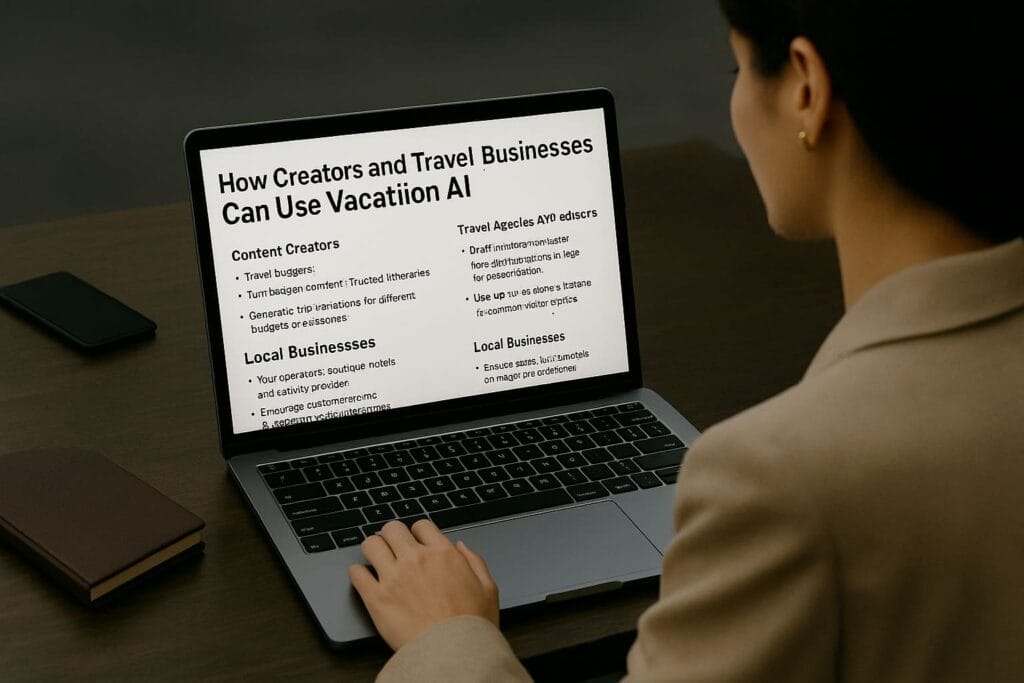
Vacation AI isn’t just for travelers; it’s also a powerful asset for travel creators, agencies, and small tourism businesses.
1. Content Creators
Travel bloggers, YouTubers, and TikTok creators can use AI to:
- Turn their existing content into structured itineraries.
- Generate trip variations for different budgets or seasons.
- Offer downloadable trip plans for subscribers.
2. Travel Agencies and Advisors
Rather than replacing human agents, AI can help them:
- Draft itineraries faster so they can focus on personalization.
- Compare more options in less time.
- Serve more clients without burning out.
3. Local Businesses
Tour operators, boutique hotels, and activity providers can:
- Ensure their information is accurate on major platforms.
- Encourage customers to share AI-generated itineraries so they can tailor offers.
- Use AI to respond faster to common visitor questions.
Frequently Asked Questions About AI Trip Planners
“Vacation AI” is a nickname for AI-powered trip planning tools that help you design
itineraries using natural language. You describe your ideal trip (budget, dates, interests),
and the AI generates destinations, daily plans, and budget estimates—saving you from
juggling dozens of tabs.
No. AI provides ideas, comparisons, and rough budgeting, but does not replace real-time
booking systems. Always double-check flight prices, hotel rates, operating hours, and ticket
availability on trusted booking platforms before making payments.
Many AI trip planners have free versions with basic itinerary planning. Some charge for
advanced personalization, PDF exports, or booking integration. Always check the pricing
section before relying on one for an important trip.
AI can suggest cheaper travel dates, alternative airports, budget-friendly neighborhoods,
and free or low-cost activities. You can ask it to follow specific budget rules, balance
“splurge days” with low-cost days, or filter out expensive activities to keep your trip
affordable.
Some AI planners integrate with booking partners so you can click through to reserve flights,
hotels, or activities. But most AI tools should still be used as planning assistants—not full
booking engines. It’s safest to book through official travel platforms or providers directly.
Generally yes, but avoid sharing sensitive data like passport numbers, full home addresses,
or payment details in the chat. Use strong passwords, enable 2FA, and review the platform’s
privacy policy before storing your full travel history there.
AI handles the heavy research and first-draft itineraries, but human agents excel at complex
coordination, special cases, and personalized support when plans change. Many professionals
now use AI to work faster rather than being replaced by it.
Be specific about your preferences: origin city, dates or season, budget, who you’re
traveling with, and your interests (food, hiking, museums, nightlife). Then iterate—ask the
AI to refine the plan, reorganize activities into logical blocks, or swap experiences until
the itinerary fits your real travel style.
Final Thoughts: Let AI Do the Boring Work, You Enjoy the Trip
AI trip planners won’t replace the thrill of discovering a new city, getting lost in a side street, or stumbling into the best meal of your life. What they can replace is the stress, friction, and decision fatigue that often sits between you and that experience.
Used wisely, “Vacation AI” helps you:
- Turn vague ideas into concrete plans
- Balance budget and comfort
- Explore destinations you may never have considered
- Spend less time planning and more time living the trip
As AI becomes more capable, the real question for travelers isn’t “Will robots take over my vacation?” It’s much simpler:
“Do I really want to plan this entire trip alone, when an AI assistant can do 80% of the heavy lifting for me?”
If the answer is no, it might be time to open your favorite AI trip planner, drop in your budget and dream destination, and let Vacation AI sketch the first draft of your next adventure.
Internal ByteToLife Links to Explore Next
If you’re interested in how AI is reshaping other parts of life and work, you might also like these ByteToLife articles: