


Artificial Intelligence is quickly becoming a quiet partner in modern academic work.
Students, lecturers, PhD candidates, and independent researchers are using AI to brainstorm ideas, organize literature, debug code, summarize dense papers, and polish writing. Used wisely, AI can turn a messy research process into a more focused, efficient, and less stressful journey.
But there is a catch: academic integrity. Universities, journals, and research organizations are now publishing clear rules about how AI may and may not be used. If you ignore these, you risk plagiarism accusations, rejected papers, damaged reputation, or even academic misconduct investigations.
This evergreen guide is designed to help you build an AI-augmented research workflow that is:
- Ethical – aligned with academic integrity and publisher policies.
- Efficient – reducing repetitive work so you can focus on thinking.
- Transparent – easy to explain and defend to supervisors, reviewers, and examiners.
- Practical – full of real prompts, examples, and workflow ideas you can start using today.
You will learn how to use AI from the very first idea, through literature review and methodology design, all the way to drafting, editing, and final submission.
The New Reality: AI in Academic Workflows
Not long ago, academic research was almost fully manual: reading stacks of papers, taking notes, drafting by hand, and formatting citations line by line. Now, AI tools can:
- Summarize and compare multiple papers in minutes.
- Help refine research questions and theoretical frameworks.
- Generate example code for data analysis in Python or R.
- Suggest clearer ways to explain complex concepts.
- Check grammar, tone, and coherence across long manuscripts.
This doesn’t mean AI replaces the researcher. Instead, the most successful academics learn how to:
- Use AI as a co-pilot instead of a ghost writer.
- Keep human judgment and critical thinking at the center.
- Stay honest about what was done by them and what was assisted by AI.
On ByteToLife.com, we often explore how AI can boost productivity and workflows in a healthy way. The same principles apply here: AI should support your work, not silently replace it.
Ethics First: AI as a Co-Pilot, Not a Co-Author
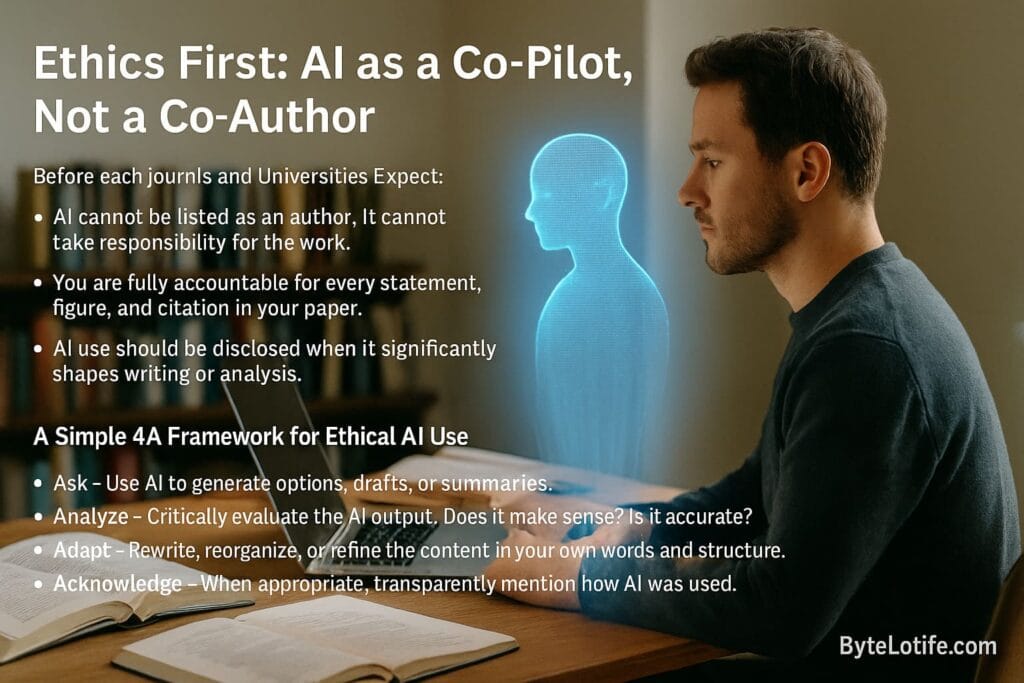
Before you plug AI into your research workflow, you need a simple ethical framework.
A good rule of thumb: AI can assist, but cannot take responsibility.
What Most Journals and Universities Expect
While each institution has its own policy, most share a few core principles:
- AI cannot be listed as an author. It cannot take responsibility for the work.
- You are fully accountable for every statement, figure, and citation in your paper.
- AI use should be disclosed when it significantly shapes writing or analysis.
- No fabrication or falsification. AI must not be used to invent data or citations.
Major publishers also emphasize that AI output must be checked carefully and that researchers must follow standard research ethics, such as proper study design, honest data reporting, and avoidance of plagiarism.
A Simple 4A Framework for Ethical AI Use
To keep things simple, you can follow a 4A framework whenever you use AI in your research:
- Ask – Use AI to generate options, drafts, or summaries.
- Analyze – Critically evaluate the AI output. Does it make sense? Is it accurate?
- Adapt – Rewrite, reorganize, or refine the content in your own words and structure.
- Acknowledge – When appropriate, transparently mention how AI was used.
If you ever skip the “Analyze” and “Adapt” steps, you’re moving into unsafe territory.
The AI-Augmented Research Journey: From Idea to Publication
Let’s map your academic research process into stages and see how AI can help at each step:
- Choosing and refining your topic.
- Exploring and synthesizing literature.
- Designing your methodology.
- Preparing for data collection and management.
- Analyzing quantitative or qualitative data.
- Writing and structuring the manuscript.
- Editing, proofreading, and formatting.
- Preparing submission and responding to feedback.
You don’t need to use AI at every stage. In fact, you shouldn’t.
The goal is to identify where AI genuinely reduces friction, and where your brain must lead the way.
Stage One: Using AI for Topic Discovery and Research Question Refinement

Choosing a topic is often the most stressful part of research, especially when you want something “original” but also realistic. AI can help you explore possible angles, but you must stay in control of what you finally choose.
Brainstorming Topic Ideas With AI
You can start with a broad interest area such as:
- “AI in healthcare communication”
- “Social media and mental health”
- “Remote learning effectiveness”
Then ask AI to:
- Suggest narrower subtopics.
- Highlight emerging gaps in the field.
- List practical or policy implications.
Example prompt:
“I am interested in [broad topic]. Suggest 10 potential research questions that are specific, feasible for a thesis, and connected to real-world implications. Avoid questions that are too vague or require massive samples.”
Testing Feasibility and Scope
AI can also help you test whether your question is too broad or too narrow. You might ask:
“Here is my draft research question: [insert question].
Analyse whether this is too broad, too narrow, or reasonable for a [Bachelor/Master/PhD] thesis. Suggest two broader and two narrower alternatives.”
This doesn’t replace discussions with your supervisor, but it can speed up the iteration process and give you a starting point for a more productive meeting.
Stage Two: AI-Assisted Literature Review Without Losing Academic Integrity
A good literature review shows that you understand the current state of knowledge, including key theories, methods, debates, and gaps. AI can help you manage information overload, but it must not replace your reading.
Finding and Organizing Sources
Start with trusted databases such as:
- Google Scholar
- PubMed (for biomedical topics)
- Cochrane Library (for evidence-based reviews)
- Field-specific databases (e.g., IEEE Xplore, ACM Digital Library, PsycINFO).
Once you have PDFs or summaries of core papers, AI can help you:
- Generate concise summaries of each article.
- Extract key variables, methods, and sample sizes.
- Compare findings between multiple studies.
- Cluster papers into themes or schools of thought.
Summarizing and Comparing Papers
When summarizing, never upload full copyrighted PDFs to online tools unless you are sure it is allowed and safe. Instead, copy selected sections (such as abstracts, parts of the introduction, or your own notes).
Example prompts:
- Single paper:
“This is the abstract along with a portion of the paper’s introduction. Summarize the main research question, method, and findings in 150 words. Highlight any limitations mentioned by the authors.” - Comparison:
“Here are summaries of three studies on [topic]. Create a table that compares their samples, methods, and key findings. Then describe in 200 words how their conclusions differ or agree.”
Building a Thematic Map
After reading a set of papers (even with AI summaries), you can ask AI to help group them into themes:
- Theoretical foundations (classic models, frameworks).
- Methodological approaches (qualitative, quantitative, mixed methods).
- Application areas (education, healthcare, industry, policy).
- Known limitations and open questions.
You still need to check whether the themes make sense and adjust them to fit your discipline.
AI provides a draft structure; you provide the final logic and interpretation.
Avoiding Plagiarism in Literature Reviews
One serious risk is copying AI-generated phrasing word for word, especially if it is based on specific papers. To stay safe:
- Use AI summaries as notes, not final text.
- Rewrite in your own style and voice.
- Always double-check that paraphrasing is genuinely different from the original.
- Keep track of which ideas came from which sources using your reference manager.
If you’re new to AI-supported productivity, you may also enjoy reading about practical AI workflow tools in this ByteToLife guide:
AI Workflow Tools to Boost Efficiency.
Stage Three: Designing Methodology With AI as a Thinking Partner

Once your research question and literature review are in place, you need a method that fits both. AI can help you explore methodological options, but you should treat its suggestions as drafts to discuss with your supervisor.
Exploring Method Options
AI can help you understand common methods in your field, such as:
- Experiments and quasi-experiments.
- Surveys and questionnaires.
- Interviews and focus groups.
- Case studies and ethnography.
- Secondary data analysis and meta-analysis.
Example prompt:
“My research question is: [insert]. Suggest 3 suitable research designs and explain the strengths and weaknesses of each for this question. Assume I have limited time and resources as a student.”
Piloting Instruments With AI
You can ask AI to:
- Suggest survey questions that match your variables.
- Check whether your interview questions are open, neutral, and clear.
- Simulate how a participant might answer to test clarity.
However, you must still:
- Check instrument validity and reliability.
- Follow ethical guidelines for consent and privacy.
- Get formal approval from your institution if required.
Stage Four: Data Collection and Management in an AI Era
AI is less involved in actual data collection (because that usually involves real participants or existing datasets), but it can support you with planning and management.
Planning Data Collection
AI can help you prepare:
- Data collection schedules.
- Checklists for fieldwork or lab sessions.
- Email templates for participant recruitment and reminders.
Managing and Cleaning Data
For quantitative data, you can:
- Ask AI to write example code for cleaning and transforming data.
- Get help with handling missing values, outliers, and basic descriptive statistics.
For qualitative data (e.g., interview transcripts), AI can:
- Help you segment transcripts into meaningful units.
- Suggest preliminary codes or themes.
Remember: if your data is sensitive (e.g., patient data, confidential interviews), consider working with local or offline tools and follow your institution’s data protection rules.
Stage Five: Data Analysis With AI Assistance

Data analysis is where AI can feel like magic—especially if you are new to statistics or programming. But you must stay cautious: AI can suggest code that looks valid but doesn’t match your design or assumptions.
Quantitative Analysis
AI can:
- Explain the meaning of statistical tests in simple language.
- Suggest which tests might match your design (t-test, ANOVA, regression, etc.).
- Generate example R or Python scripts that you can adapt.
- Help interpret results by turning numbers into clear sentences.
Example prompt:
“I have a dataset where variable X is continuous and variable Y is a binary outcome. I want to test whether X predicts Y. What statistical test is appropriate, and what assumptions must I check? Please provide an example of how to run this in Python.”
You should still:
- Verify assumptions (normality, independence, etc.).
- Check that the test fits your design, not just your variables.
- Consult a supervisor, statistician, or trusted textbook when in doubt.
Qualitative Analysis
For interviews, open-ended survey answers, or observational notes, AI can:
- Identify repeated phrases or topics.
- Suggest initial codes or categories.
- Help write theme descriptions based on your notes.
But it cannot feel context like you can. Always:
- Re-read raw data yourself.
- Refine or reject themes that don’t match participants’ voices.
- Stay transparent about how codes and themes were generated.
Stage Six: Writing the Manuscript With AI Support (Without Losing Your Voice)
Writing is where many students lean too heavily on AI and unintentionally cross ethical lines. The safest approach is to let AI support you at the level of structure, clarity, and language—not content ownership.
Planning Sections and Flow
Most academic papers follow some version of the IMRaD structure (Introduction, Methods, Results, and Discussion). You can ask AI to:
- Draft a high-level outline based on your research question and notes.
- Suggest logical subheadings for each section.
- Check whether your argument flows from problem to solution to implications.
Example prompt:
“Here is a bullet-point summary of my study (topic, method, main findings). Create a structured outline for a research paper, including suggested headings and the key ideas that should go into each section.”
Drafting Paragraphs From Your Notes
Instead of asking AI “Write my literature review,” you can:
- Provide AI with your own bullet-point notes from readings.
- Ask it to help turn those into a coherent paragraph.
- Then revise the paragraph to match your voice and discipline style.
Example prompt:
“Here are my bullet notes about three studies on [topic]. Please draft a 200-word paragraph that synthesizes their contributions and differences in a formal academic tone, without inventing any references.”
After that, you should still:
- Edit the paragraph.
- Insert proper citations using your reference manager.
- Make sure you agree with every statement made.
Improving Clarity and Readability
AI is extremely useful for polishing language, especially if English is not your first language. You can paste your own paragraph and ask for:
- Clearer structure.
- Better transitions between sentences.
- More concise phrasing without changing meaning.
If you’re also interested in how AI improves everyday productivity and office work (which mirrors academic workflows), you might enjoy:
AI Tools Transforming Office Tasks.
Stage Seven: Managing Citations, References, and Plagiarism Checks

AI is notoriously unreliable when it comes to generating references. It often invents titles, authors, or DOIs that don’t exist. So you should treat AI as a formatting helper, not a citation generator.
Safe Ways to Use AI With References
- Ask AI how to format a citation style (e.g., APA, MLA, Chicago) in general.
- Paste real metadata (author, year, title, journal) and ask AI to format it correctly.
- Use AI to check whether your reference list is consistently formatted.
Where to Get Real References
Use trusted sources to find genuine references, such as:
- Google Scholar
- PubMed
- Publisher websites (e.g., journals hosted on ScienceDirect, SpringerLink, or Wiley Online Library).
Once you find a real article, add it to your reference manager manually or via import, and only then use AI to help with formatting if needed.
Plagiarism and Similarity Checks
Many universities use similarity-checking software to detect text that is too close to existing sources. To stay safe:
- Write from your own understanding, not from memory of AI output.
- Always paraphrase deeply, not just by replacing a few words.
- Cite when you use someone else’s idea, even if you changed the wording.
Building Your Personal AI Research Stack
Instead of jumping between dozens of tools, it’s better to create a simple “AI stack” that fits your style and field. Think in categories:
- Idea and planning tools – for brainstorming and breaking big tasks into steps.
- Reading and summarizing helpers – for extracting key points from articles.
- Writing and editing assistants – for improving clarity, tone, and structure.
- Code and analysis copilots – for generating and explaining scripts.
You can also combine AI tools with productivity systems you already use. For inspiration on designing AI-powered workflows beyond academia, see:
AI Travel Planning Guide – it focuses on travel, but the idea of breaking complex tasks into AI-powered steps is very similar.
Protecting Privacy, Security, and Academic Integrity

One of the biggest hidden risks of using AI in research is data leakage. When you paste raw data into an online model, you might be violating privacy rules, ethics approvals, or institutional policies.
Data You Should Never Paste Into Online AI Tools
- Unanonymized personal data (names, emails, IDs).
- Sensitive health or financial information.
- Confidential company or institutional data.
- Interview transcripts that contain identifiable details.
If you need AI to help with sensitive data, consider:
- Anonymizing data first (remove or replace identifiers).
- Using local/offline tools approved by your institution if available.
- Checking your ethics approval and data management plan.
For a deeper look at how AI can also introduce new security risks (beyond academia), you might read:
AI-Powered Cyberattacks: Cybersecurity Trends.
A Sample Day in the Life of an AI-Augmented Researcher
To make this practical, let’s imagine you’re working on a thesis and have one focused research day. Here’s how AI might fit into your schedule without taking over.
Morning: Planning and Literature Integration
- Use AI to list your top three priorities for the day based on your current progress.
- Paste notes from yesterday’s readings and ask AI to summarize the main themes in 200–300 words.
- Ask for a proposed structure for today’s writing session (e.g., “finish 2 paragraphs on gap in literature”).
Midday: Deep Work With Minimal AI
- Read 2–3 key papers fully, taking your own notes.
- Write rough paragraphs in your own words, focusing on analysis.
- Only use AI briefly if you get stuck on how to phrase a complex concept.
Afternoon: Polishing and Organisation
- Paste your draft section into AI and ask for suggestions to improve flow.
- Ask it to highlight any unclear or repetitive sentences.
- Update your reference manager with any new sources.
Evening: Reflection and Next Steps
- Ask AI to summarize what you achieved today from a short bullet list of your own.
- Generate a suggested plan for tomorrow’s tasks based on what remains.
- Write a short reflection on what went well and what you want to improve.
Common Mistakes When Using AI in Academic Research

Even with good intentions, it’s easy to misuse AI in subtle ways. Here are some common pitfalls and how to avoid them.
Letting AI Define Your Argument
If you simply accept the structure and claims AI generates, your paper may look logical on the surface but lack genuine insight.
Solution: Use AI drafts as a starting point, then reorganize, rewrite, and challenge the structure based on your own reasoning and evidence.
Accepting AI Explanations Without Verification
AI can produce confident but incorrect explanations of statistical methods, theories, or study designs.
Solution: Cross-check key explanations with textbooks, lecture notes, or trusted sources. Treat AI as a tutor whose answers you always double-check.
Copying AI Text Directly Into Your Thesis
This can quickly lead to style inconsistencies and potential plagiarism issues, especially if AI phrasing matches other sources it was trained on.
Solution: Always rewrite AI-generated text into your own voice. Use AI to comment on your writing, not to secretly replace it.
Asking AI for “Shortcuts” in Ethics or Methods
Prompts like “Create a survey that gets me positive results” or “Suggest a way to avoid getting non-significant results” are red flags.
Solution: Keep your research questions honest. Use AI to improve clarity and rigor, not to manipulate outcomes.
Writing a Transparent AI Usage Statement
Many journals and universities now encourage or require a short statement explaining how AI was used in the work. This is not only ethical but also helps future readers understand your process.
What to Include in an AI Usage Statement
- Which tools were used (e.g., language models, coding assistants).
- What stages they helped with (idea refinement, editing, code suggestions, etc.).
- A note that you verified all outputs and take full responsibility.
- A confirmation that no data or confidential information was exposed inappropriately.
Example AI Usage Statement
You can adapt a neutral, transparent statement like:
“Generative AI tools were used to assist with language editing, idea organization, and code troubleshooting during the development of this manuscript. All content, analyses, and interpretations were independently reviewed and verified by the author, who takes full responsibility for the final version. No confidential or personally identifiable data were submitted to AI tools.”
Always check your university or target journal’s specific wording guidelines and adapt accordingly.
Putting It All Together: Your Ethical, Efficient AI Research Workflow
AI is not here to take away the core of academic research—critical thinking, curiosity, and rigorous analysis. Instead, it can:
- Speed up low-level tasks like summarizing and formatting.
- Help you see patterns and structures in complex material.
- Support you when you feel stuck on wording or organization.
At the same time, you must stay in control of:
- Research questions and goals.
- Interpretation of data and literature.
- Ethical decisions about privacy, consent, and integrity.
- Final decisions about what goes into the paper.
If you treat AI as a thoughtful assistant rather than a silent ghost writer, you can build a workflow that makes your academic life both more productive and more enjoyable.
For more ideas on using AI to work smarter (not just harder), you can explore other in-depth guides on ByteToLife, such as:
Used with intention and integrity, AI can help you move from “I’m overwhelmed” to “I have a clear, structured plan” for your research journey—from the first spark of an idea all the way to publication.
Frequently Asked Questions (FAQ)
Yes, it can be acceptable as long as you follow your institution’s and journal’s
policies. AI may assist with idea organization, language editing, structuring drafts,
and code troubleshooting — but you remain responsible for the accuracy of your content.
AI must not be used to fabricate results, data, or citations. Always check your
university or journal guidelines before using AI.
No. A literature review must reflect your understanding, your critique of sources,
and your ability to synthesize research. AI can help summarize papers or suggest
structure, but you must rewrite the text in your own voice and verify every claim
against the original sources.
Treat AI output as draft notes, never final text. To avoid plagiarism:
- Cross-check AI summaries with the original papers.
- Paraphrase deeply in your own style.
- Cite all ideas taken from other authors.
- Use similarity checks if required by your institution.
AI assistance never removes your academic integrity responsibility.
In many cases, yes. A short AI usage statement increases transparency.
You can mention that AI assisted with language editing, idea structuring,
or code troubleshooting, while ensuring that all analyses and conclusions
were verified independently by you. Always follow your institution’s
specific requirements.
No. AI tools often invent sources, authors, journal names, or DOIs.
Use AI only to help format citations you have verified through trusted
sources like Google Scholar, PubMed, Scopus, or your university library.
Always ensure every reference corresponds to a real source.
Be extremely careful. Never upload confidential, sensitive, or identifiable data
to public AI tools. This includes medical records, interviews, internal documents,
or proprietary datasets. When possible, anonymize data or use institution-approved
offline/local AI tools.
Ethical AI use includes:
- Asking AI to explain statistical concepts.
- Getting example R/Python code (which you verify).
- Requesting visualization suggestions.
- Asking AI to highlight potential qualitative themes.
AI must not manipulate results, hide non-significant outcomes,
or make up interpretations. You remain responsible for all analyses.
Use AI as a supportive coach. Ask it to clarify difficult concepts,
improve writing clarity, or explore alternative methods. But also set aside
“AI-free” sessions where you read, think, and write independently.
The goal is to strengthen your critical thinking — not outsource it.
Conclusion
Artificial Intelligence is transforming the research landscape, not by replacing human insight, but by enhancing the way students and scholars work from idea to publication. When used with intention, AI becomes a supportive partner—helping you plan, summarize, synthesize, organize, and polish your work—while you remain fully responsible for critical thinking, analysis, and ethical decision-making. By keeping transparency at the core, verifying every output, protecting data privacy, and staying in control of your academic voice, you can build a workflow that is both efficient and academically honest. In the end, AI is most powerful not when it does the work for you, but when it amplifies your ability to think clearly, work strategically, and communicate your ideas with confidence.